
Finance, Billing, and Tax
A guide to help your finance team navigate revenue, disbursements, notifications, and tax on AWS Marketplace using the Suger Console.
Overview
This guide helps your finance team use the Suger platform effectively. It covers the key console pages for tracking revenue, how to set up event notifications, and essential information about AWS billing, disbursements, and taxes.
For convenience, you can grant finance team members Viewer access to the console. For more on user roles, see the Account and organization roles documentation.
Inside the Suger Console
Entitlement
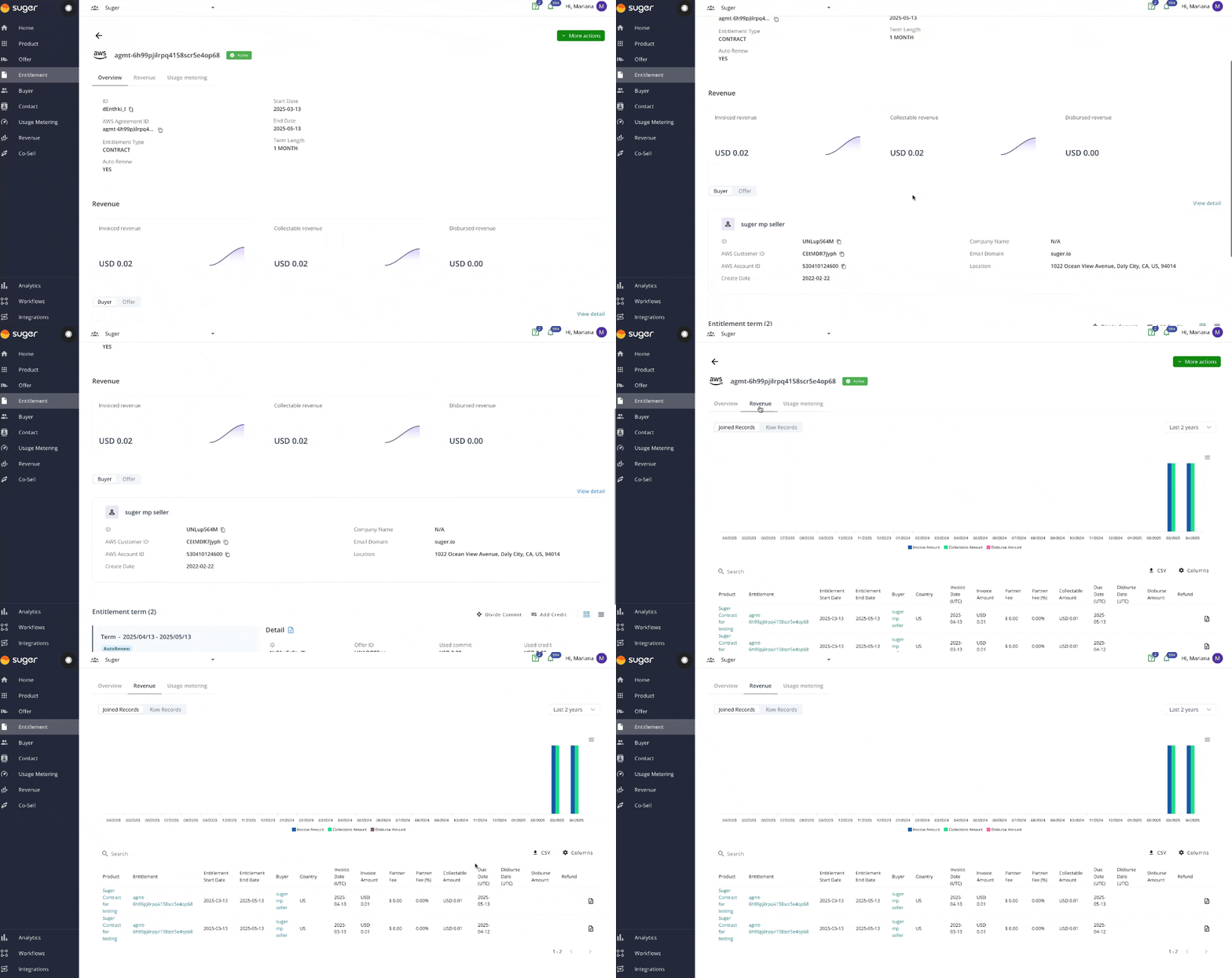
The Entitlement page provides a detailed view of contract-specific data. Here’s what you can access:
Overview:
- Agreement ID
- Entitlement Type
- Auto Renew
- Start Date and End Date
- Term Length
Buyer Information:
- Account ID
- Company Name
- Email Domain
- Location
Revenue Details:
- Entitlement Terms
- Invoice Date
- Invoice Amount
- Partner Fee
- Collectable Amount
- Due Date
- Disburse Date
- Disburse Amount
- Refund
Revenue
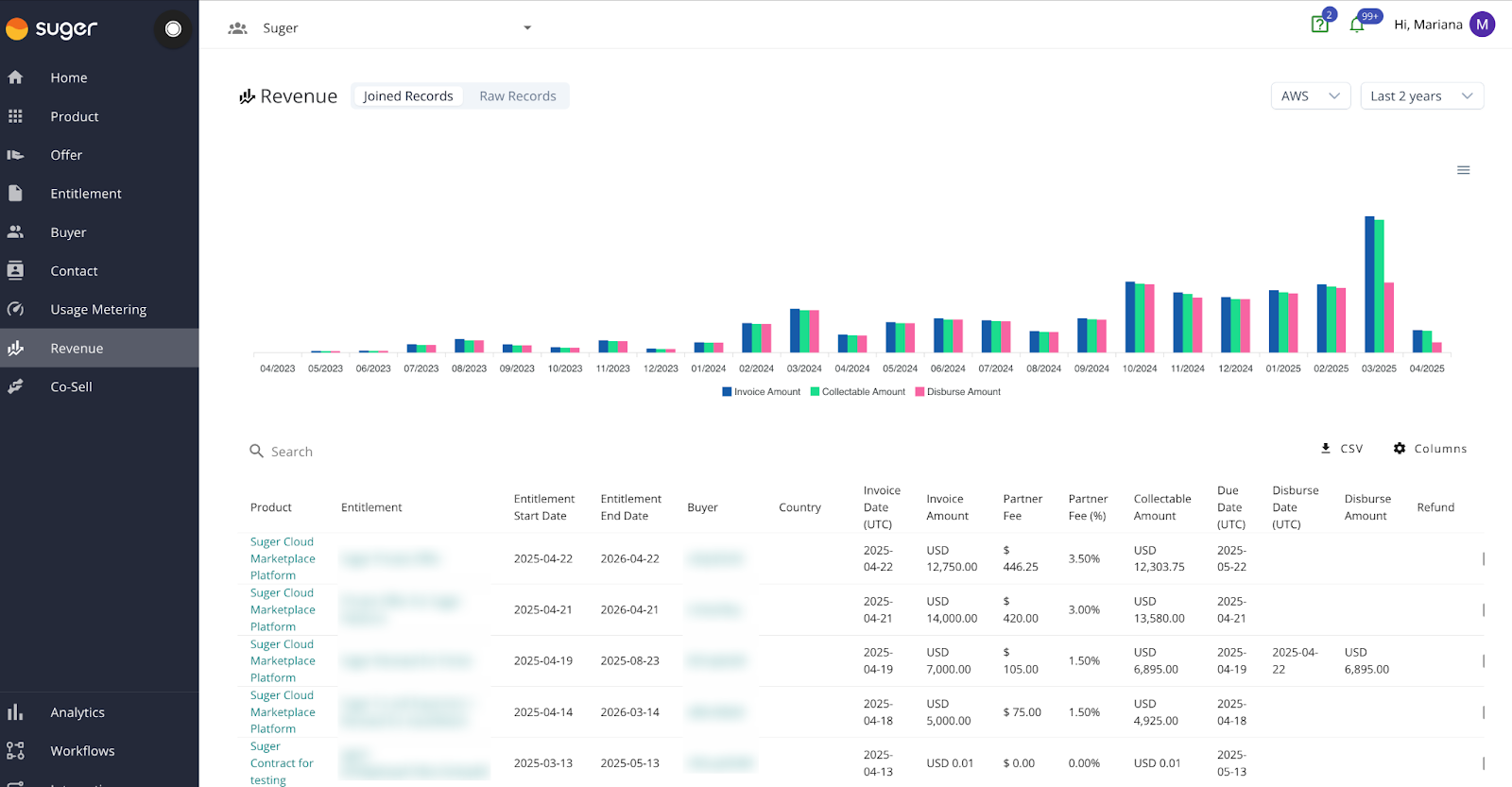
On the Revenue tab, you can:
- Visualize the complete revenue data of all marketplace contracts.
- Filter the data by cloud provider or time period.
- Export revenue data to a CSV file for further analysis.
Analytics
The Analytics page provides advanced insights into your financial data. Explore detailed metrics and trends to make informed decisions. Learn more in the Analytics documentation.
Event Notifications
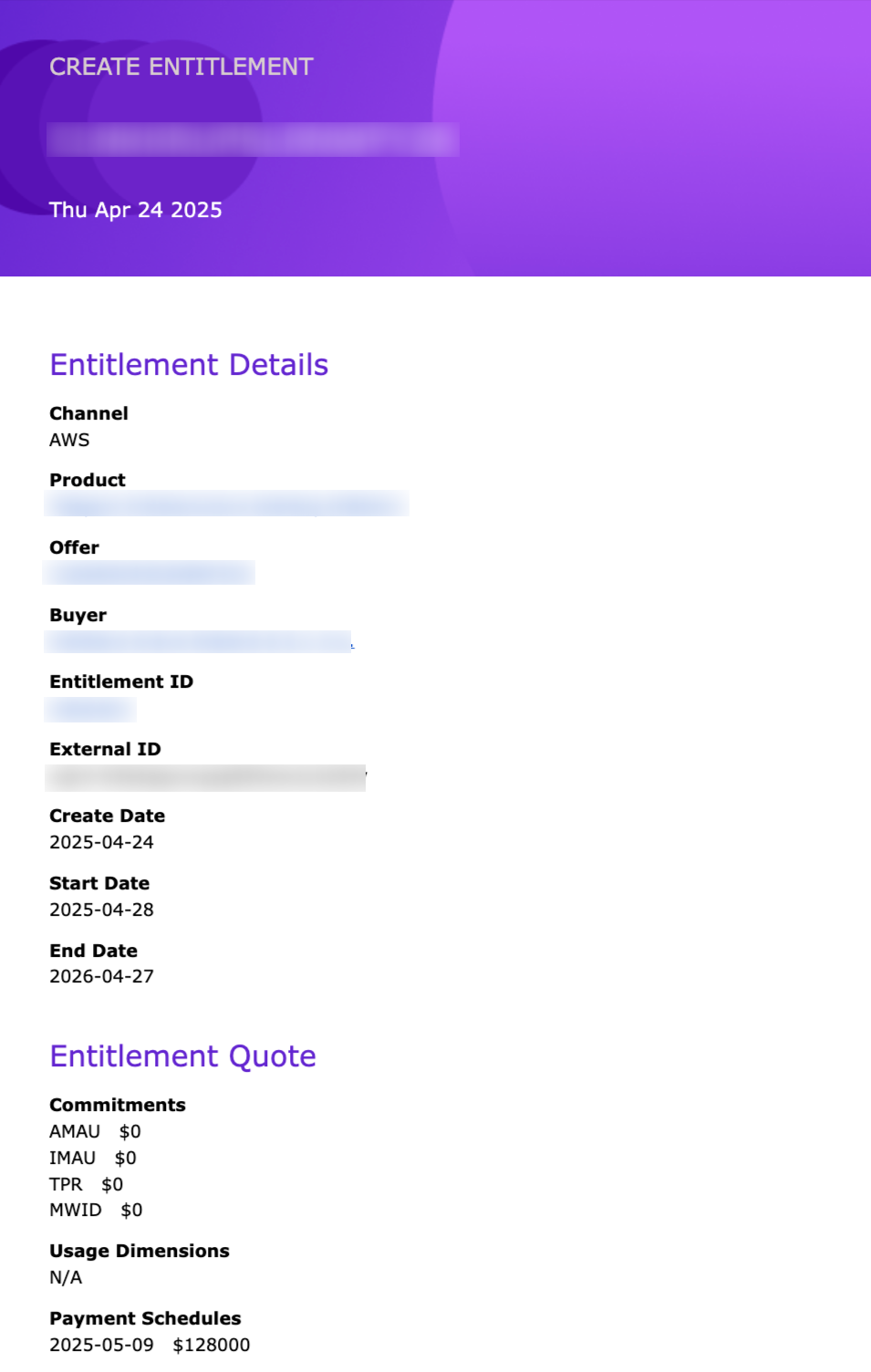
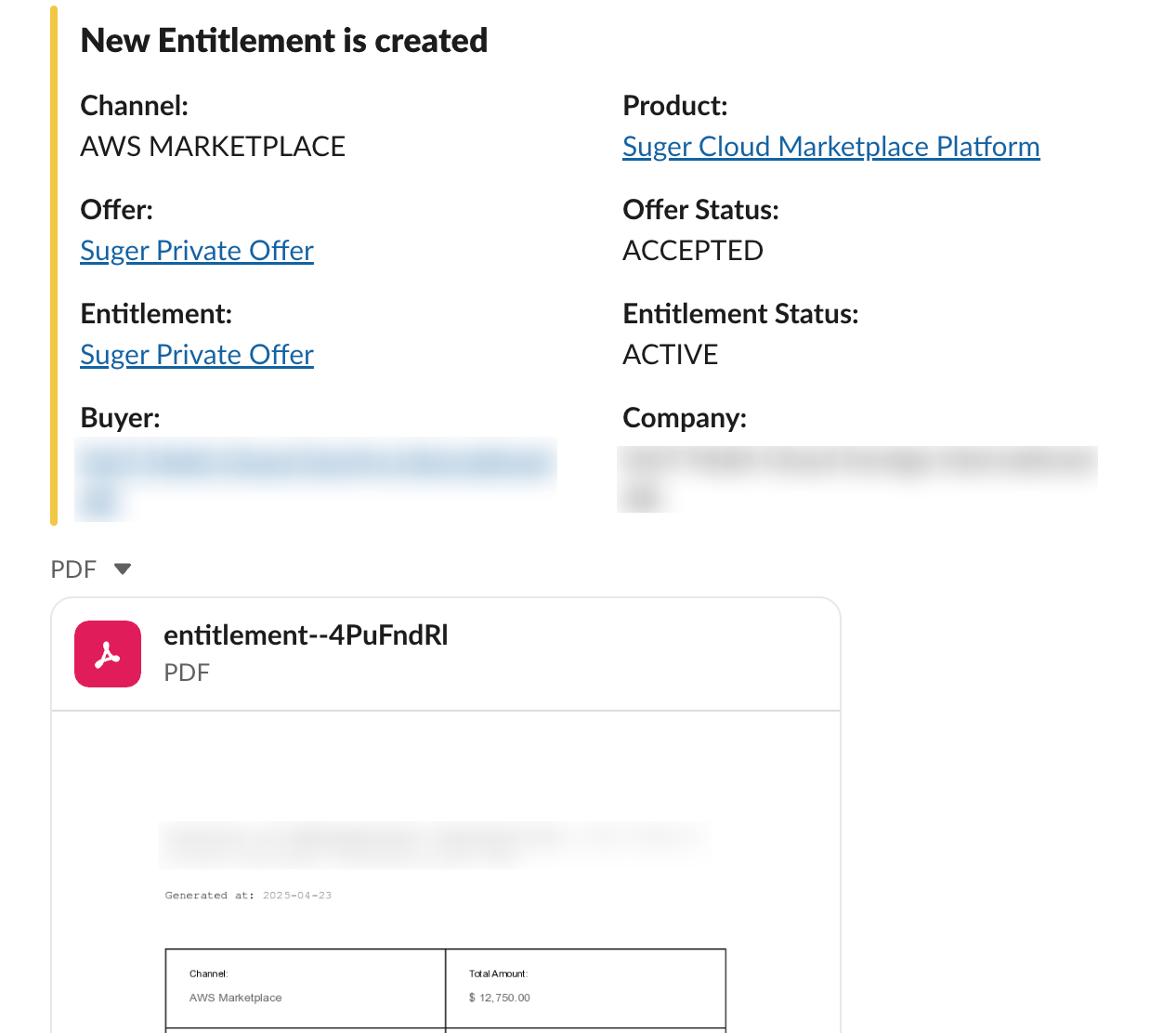
You can configure email and Slack notifications to keep the finance team informed about key events. Examples include:
- Entitlement creation
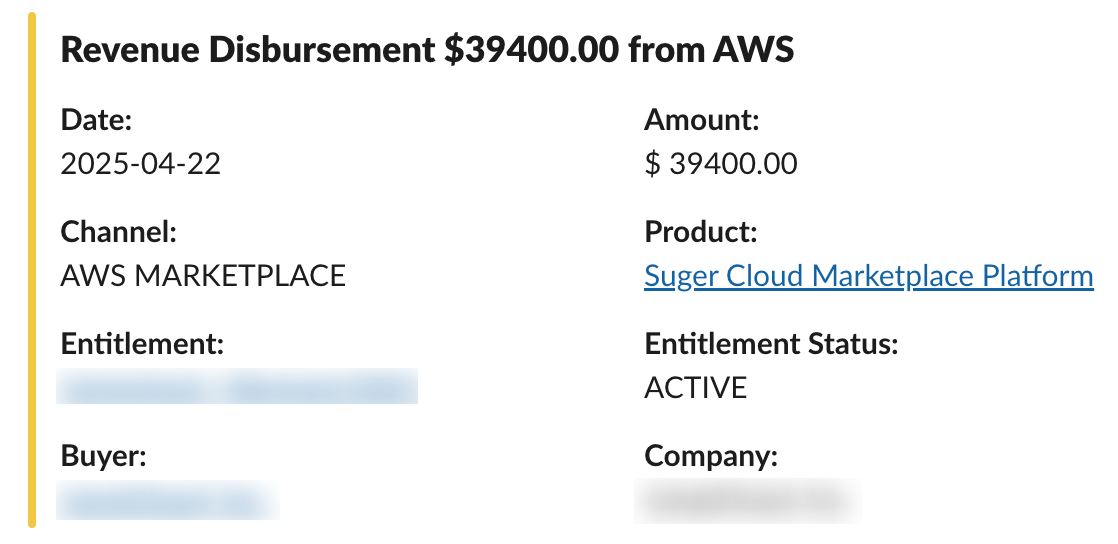
- New disbursements from AWS
To set up notifications, see:
Example of an email notification:
Examples of Slack notifications:
Flow of Events
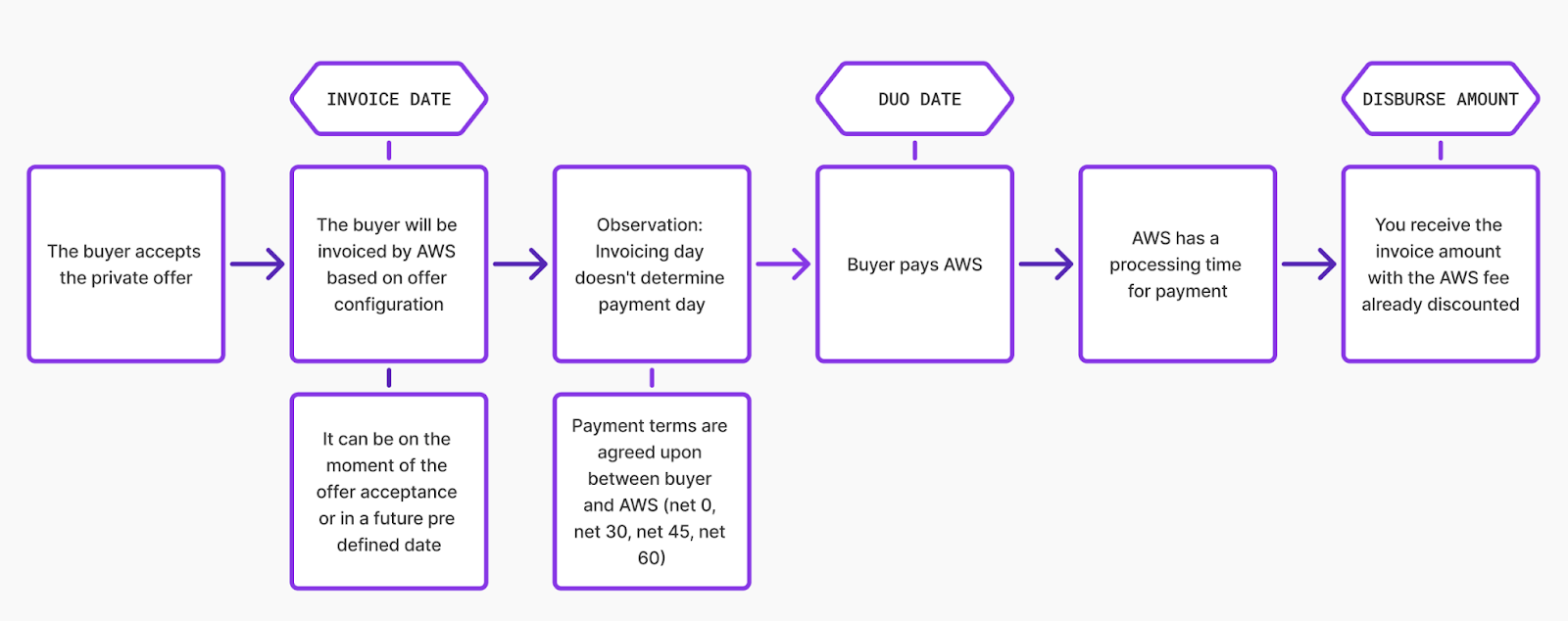
The flowchart below shows how a contract moves from acceptance through invoicing, buyer payment, and disbursement:
Tax Information
Suger does not handle tax calculations. For official AWS tax information, see AWS Tax Help.
Whether you need to charge and remit taxes separately depends on the buyer’s country. In countries such as the USA, where the marketplace is responsible for collecting and remitting taxes, AWS handles this for you. In other countries, such as France, the seller must collect the tax manually. See AWS Marketplace tax help for sellers for details on product types, supported countries, and the process.
Additional AWS Resources
These AWS resources can help your finance team understand the underlying processes:
FAQ
-
Who do I receive the payment from?
Payment is always deposited into your registered bank account. To check your registered bank account, visit AWS Marketplace Management Portal Settings > Payment Information.
-
How much listing/transaction fee does AWS take?
Listing fees depend on the type of listing, the TCV of the offer, and the type of offer. AWS’s Listing and transaction fees document covers the fee structure for all scenarios.
-
When is the customer billed?
AWS bills the customer in one of three ways:
- Date of subscription acceptance (upfront billing).
- Custom payment schedule (private offers built with the flexible payment scheduler).
- Metered usage, billed on the second and third day of the month for the prior month’s usage.
-
When will I receive money from AWS?
Every customer agrees to net payment terms with AWS — either net 30, 45, or 60, or net 0 for credit cards. Once a customer receives the bill, they must pay within the agreed terms. Every seller has a disbursement cycle, which you can set up under settings. There are two cycles: daily and monthly. You can receive the money as soon as AWS receives it, or on a specific date every month. To review your settings, visit AWS Marketplace Management Portal Settings > Payment Information > Update Banking Information > Disbursement Preference.
-
Do I need to charge and remit taxes separately?
This depends on the buyer’s country. In countries such as the USA, where the marketplace is responsible for collecting and remitting taxes, AWS handles this. In other countries, such as France, the seller must collect the tax manually. See AWS Marketplace tax help for sellers for more details.
-
What should we do if there is a delay in receiving payments from AWS?
Create a ticket with AWS Support using the AWS Marketplace contact page.
-
How do I process refunds?
You can process a full or partial refund to the buyer by submitting the AWS Marketplace refund request form. You can request a refund even when the buyer has not yet paid the invoice. In the additional comments section, mention that the charges should be waived if they are unpaid.
-
Can I invoice a customer in their currency?
As a seller, you create private offers in US Dollars ($). AWS then checks the buyer’s currency based on their account ID and payment settings and bills them in their currency. AWS uses exchange rates published by Bloomberg every day. See the list of supported currencies. For multi-currency accounts, see Multi Currency.
-
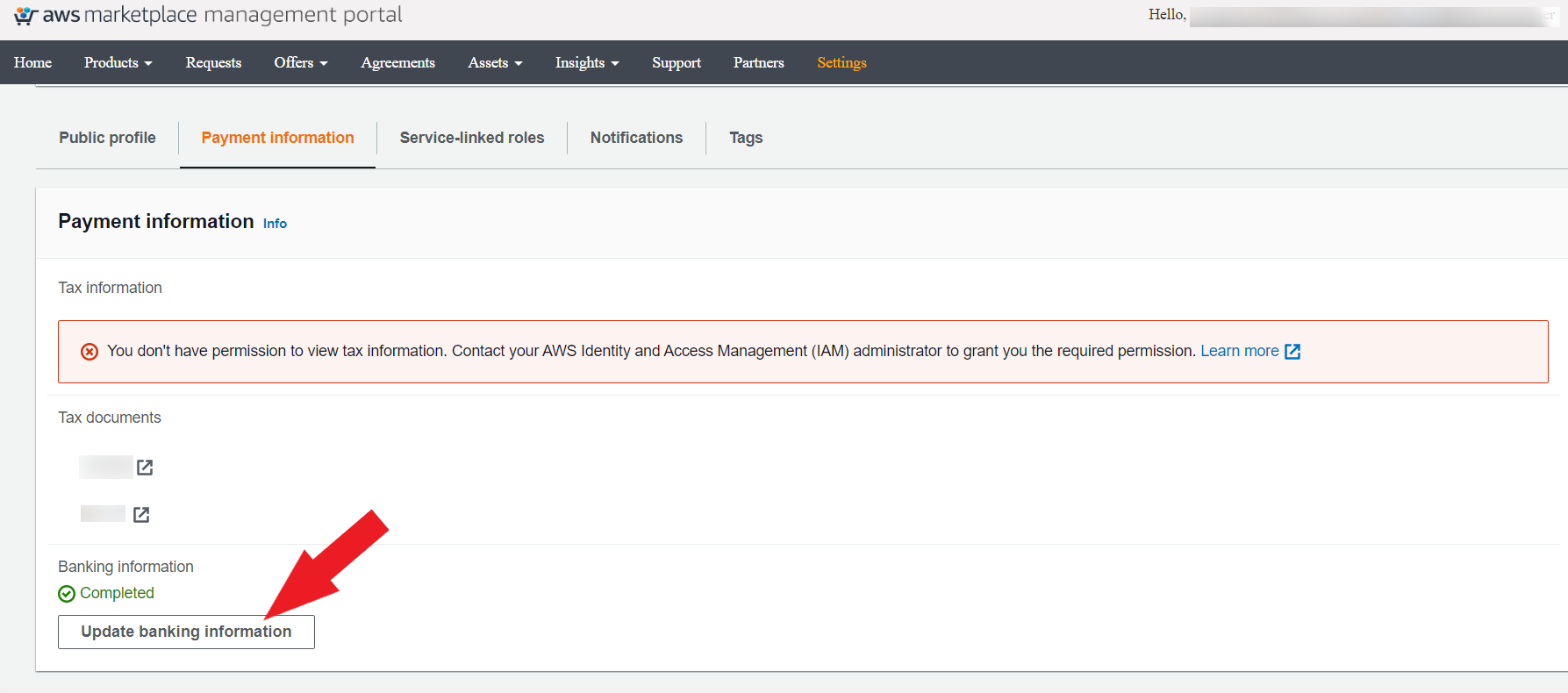
How can I change the type of disbursement?
-
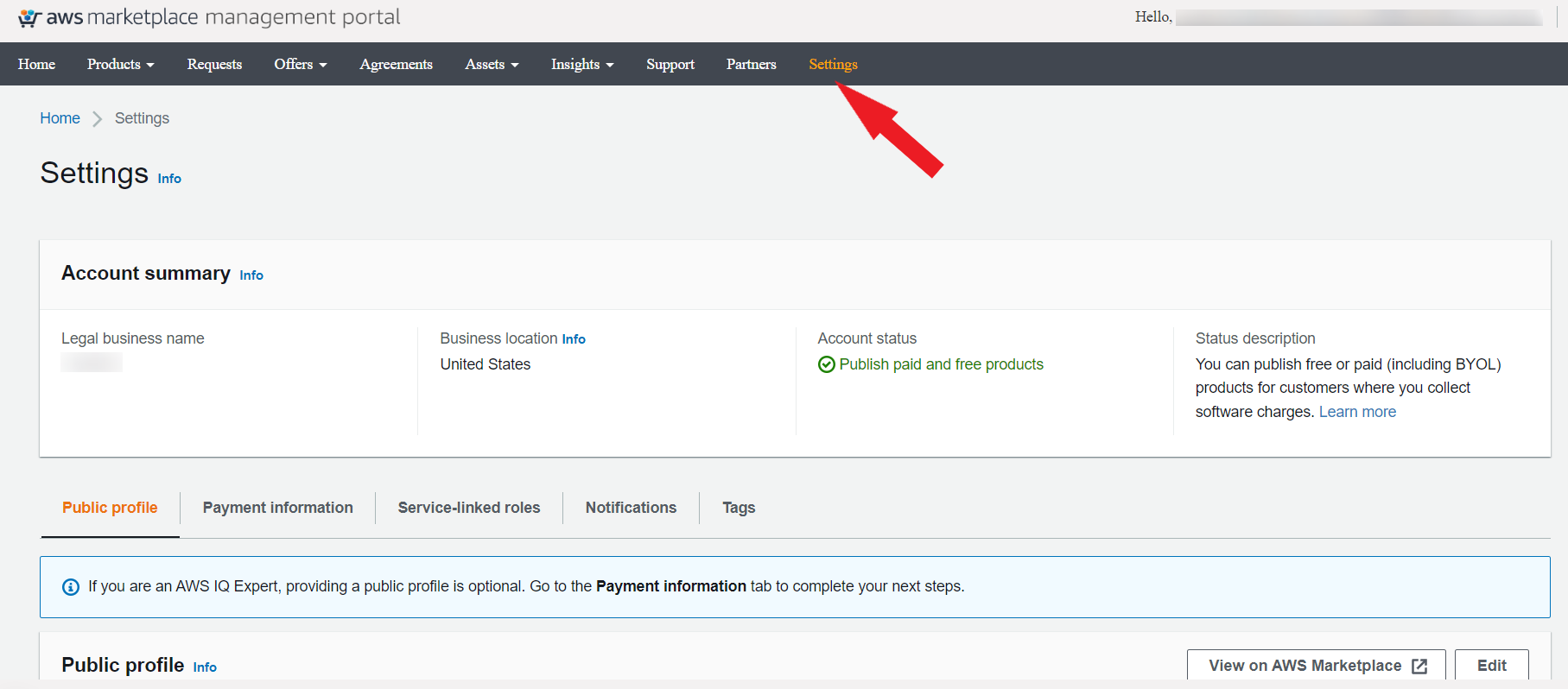
Log in to the AWS Marketplace Management Portal and go to the Settings tab.
-
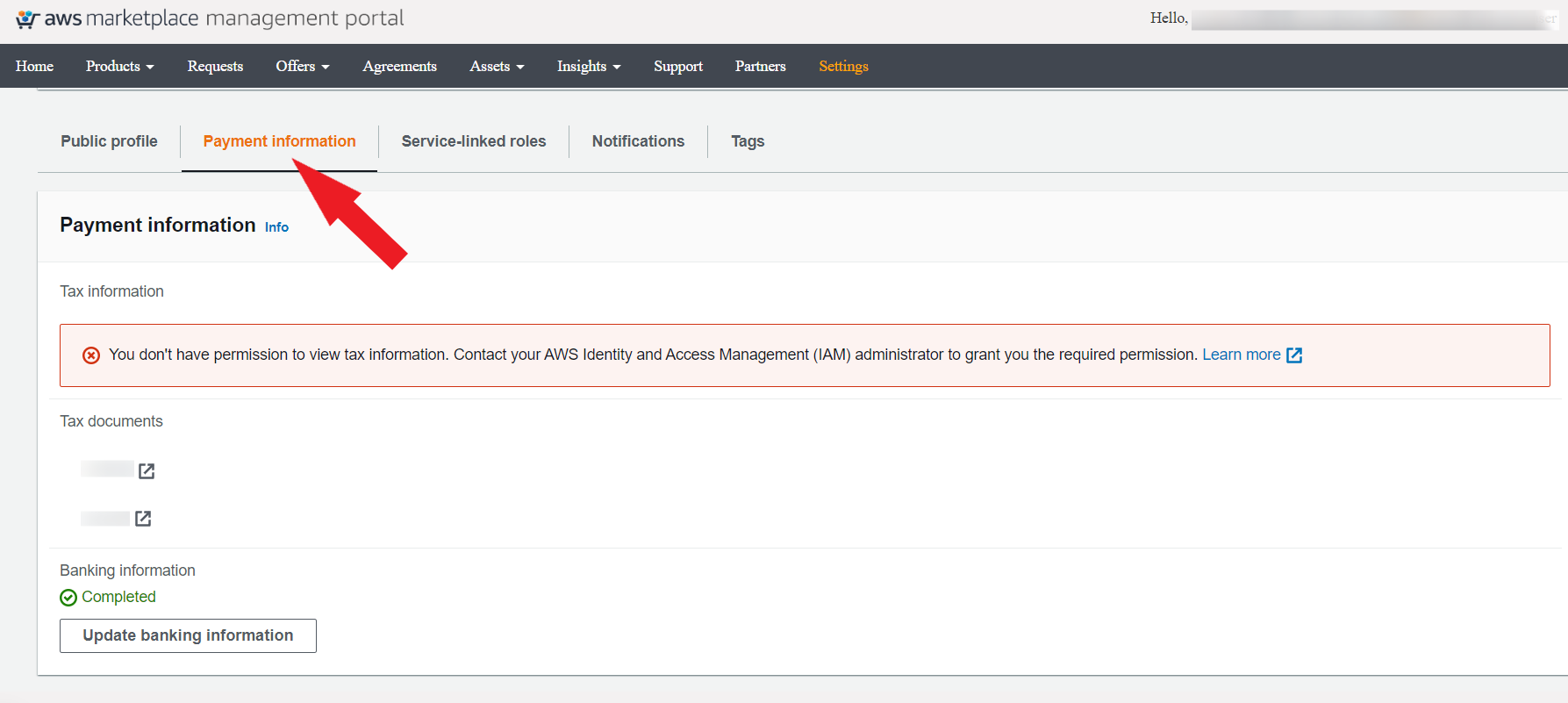
Select the Payment Information tab.
-
Click Update Banking Information.
-
Scroll down to the Disbursements option and select the desired disbursement option (daily or monthly).
-