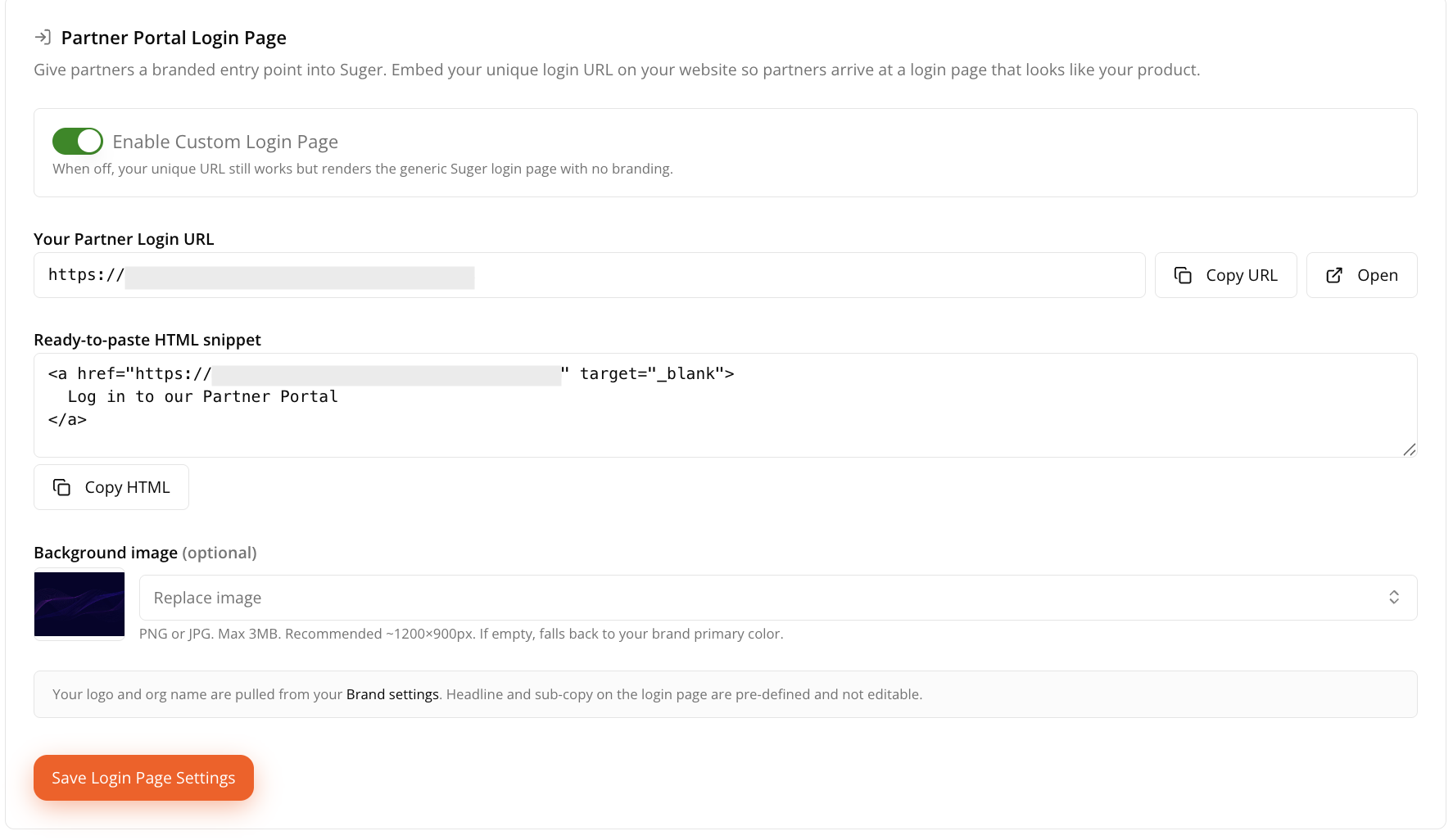
Partner Portal Login Page
Give partners a branded way to sign in to your Partner Portal with a custom login page.
Overview
The Login Page settings let you share a unique Partner Portal login URL directly, or embed it on your website, so partners arrive at a login page that matches your company’s branding.
This step is optional. Partners can already sign in to Suger without a custom login page — enabling one simply provides a more consistent, branded experience.
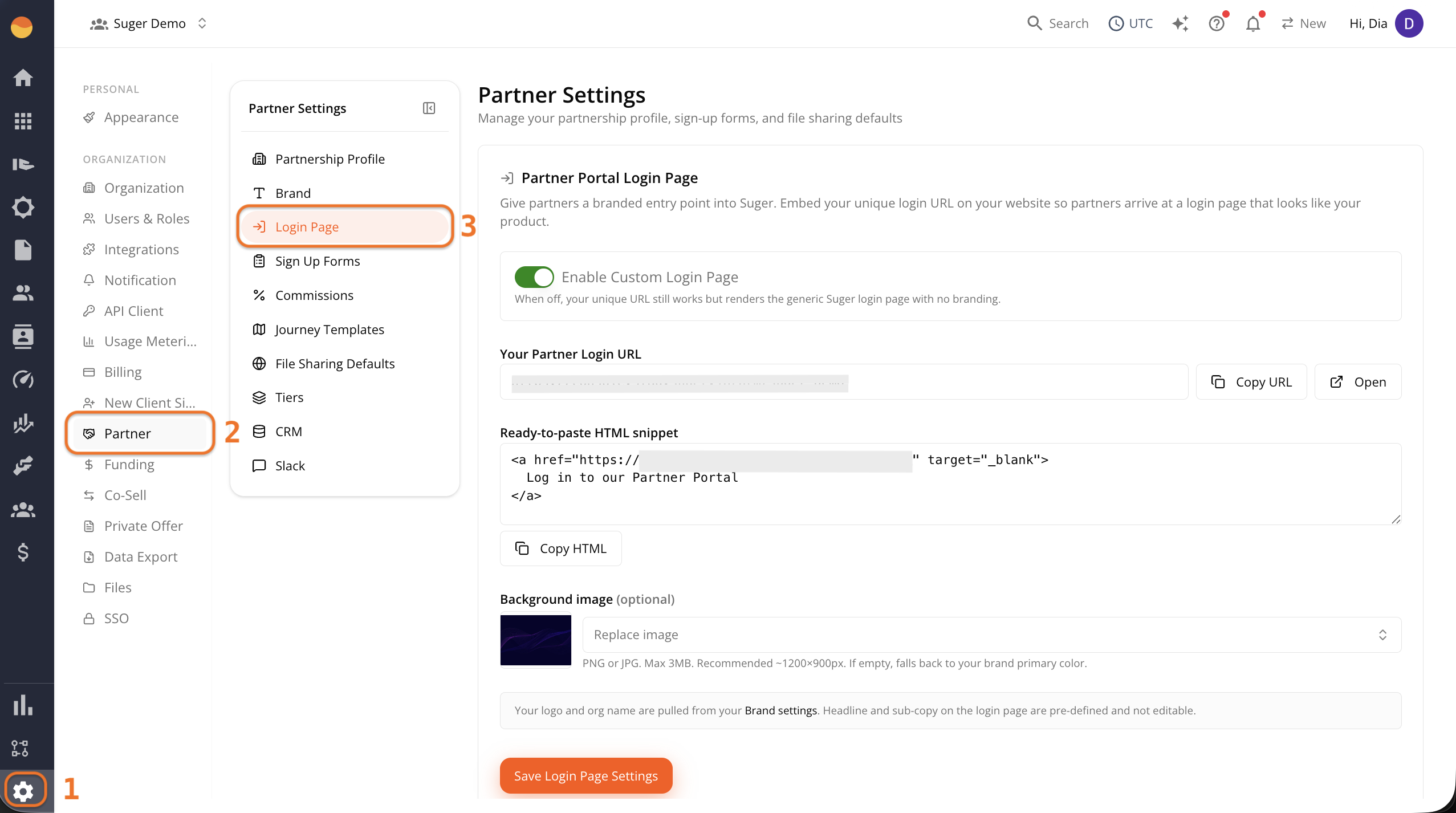
Access Your Login Page Settings
- Go to Suger Console, then Settings.
- Click Partner, then Login Page.
How Branding Works
- Your logo and organization name are automatically pulled from your Brand settings.
- The login page headline and supporting text are managed by Suger and can’t be customized.
- To update your logo or other brand assets, see Complete Brand Settings.
Set Up Your Login Page
Enable the custom login page
The Enable Custom Login Page toggle controls whether partners see your branded login page or the default Suger login page.
- On: Partners see your branded login page, including your logo, organization name, and optional background image.
- Off: Partners see the standard Suger login page.
The login URL itself doesn’t change. The toggle only changes the appearance of the page partners see after opening the link.
Copy your partner login URL
Your Partner Login URL is the dedicated link partners use to access your portal.
- Click Copy URL to copy the link and share it directly with partners.
- Click Open to preview the login page in a new browser tab.
Embed the login link on your website
Under Ready-to-paste HTML snippet, click Copy HTML to copy a ready-to-use login link for your website.
Paste the snippet wherever you want partners to access your Partner Portal. No additional HTML is required unless you want to customize its appearance.
Add a background image (optional)
The background image appears behind your branding on the custom login page.
Click Upload New File to upload a PNG or JPG (up to 3 MB). Suger recommends an image that’s approximately 1200 × 900 px.
If you don’t upload a background image, the page uses your brand’s primary color instead.
Save your settings
Click Save Login Page Settings to apply your changes.