
GCP Co-Sell
Overview
Connect Suger to Google Cloud Co-Sell to manage co-selling opportunities and partnerships with Google. The GCP Co-Sell program enables ISVs and partners to sell jointly with Google Cloud sales teams through the Google Cloud Partner Advantage program.
Org-Level Only: This is an organization-wide co-sell integration. User-level is not supported.
Create Integration
Prerequisites
- Google Cloud Partner Advantage membership
- Enrolled in the GCP Co-Sell program
- Partner Administrator access to your Partner Network Hub (to assign roles)
Step 1 — Grant Suger access to your Partner Network Hub
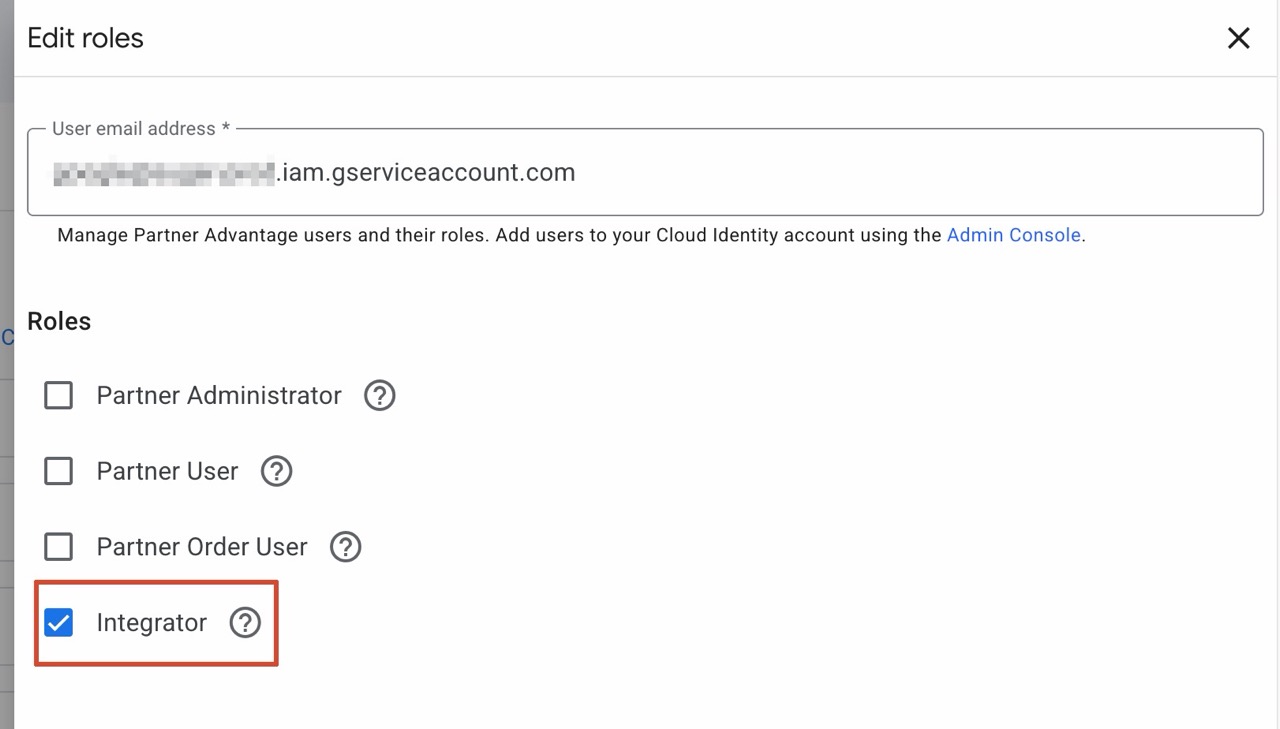
Add Suger’s Google Service Account as an Integrator so Suger can read and submit co-sell opportunities on your behalf.
- Go to https://partners.cloud.google.com/users
- Click Assign roles
- For User email address, enter Suger’s Google Service Account email — contact Suger support to obtain it
- Check Integrator
- Click Save
Step 2 — Find your Partner ID
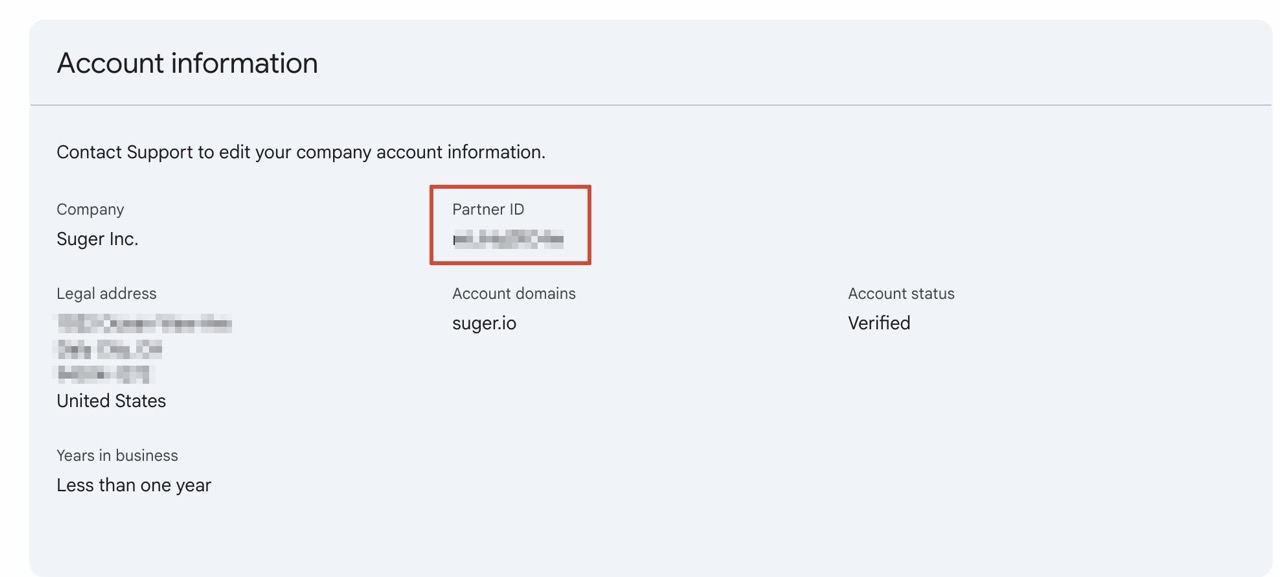
- Go to https://partners.cloud.google.com/account
- Copy the Partner ID shown under Account information
Step 3 — Connect in Suger
- Navigate to Settings > Integrations
- Click Connect GCP Co-Sell
- Paste your Partner ID into the GCP Partner Advantage ID field
- Click Create
- After creation succeeds, click Verify to confirm the connection
Edit Integration
Editing not supported. Delete and recreate.
Delete Integration
Deleting removes the integration.