
Chat
Conversations in Insulin support streaming responses, tool execution, plan approvals, attachments, memory, and cross-surface threads.
Conversations
Each conversation is a multi-turn thread between you and an agent. Conversations are persisted automatically and appear in the sidebar for easy access. You can have multiple conversations open and switch between them.
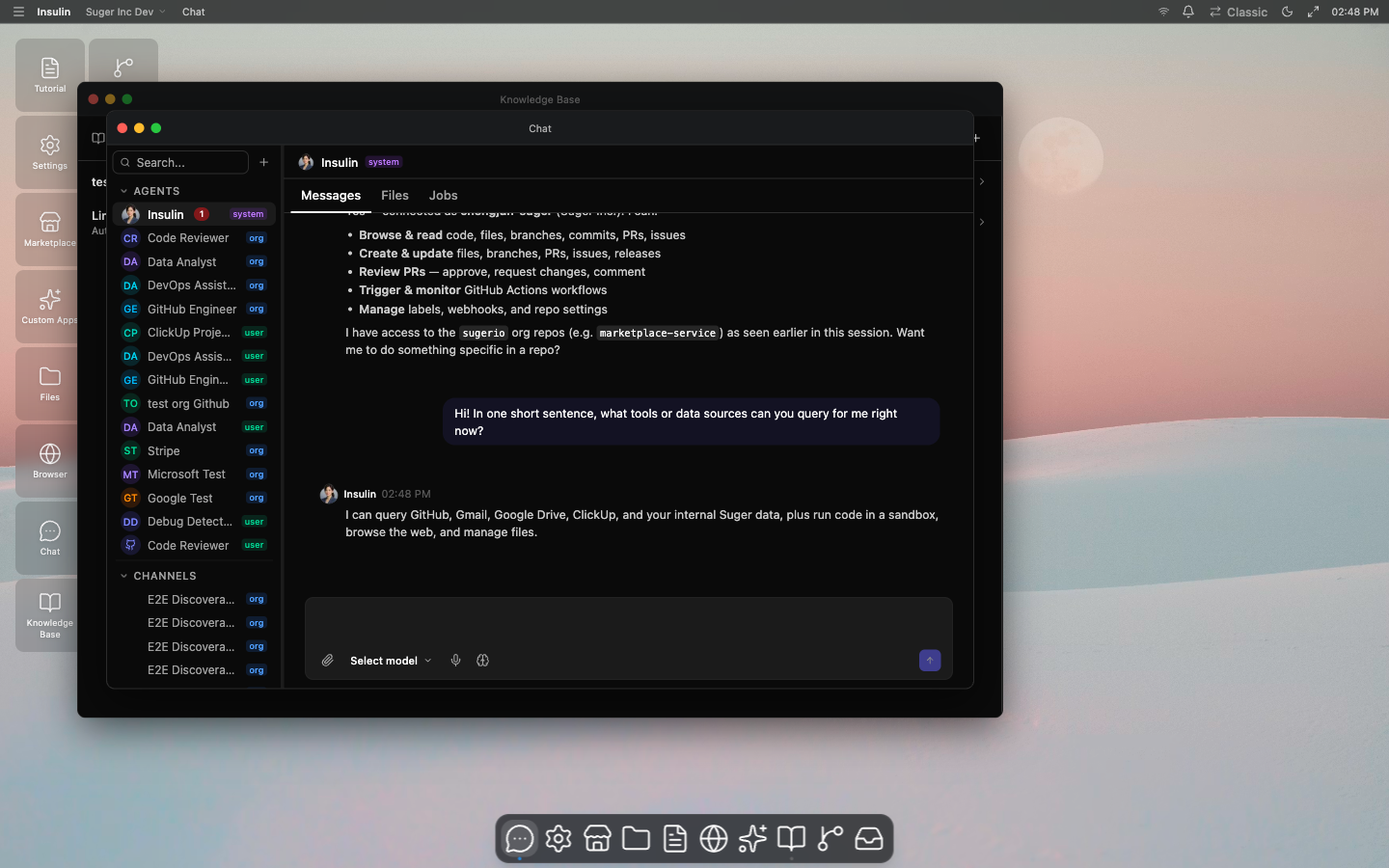
Insulin also supports thread events through a live stream. This lets the UI update while an agent is running, while a channel is active, or while a paused run is waiting for an approval.
Message Types
- User messages — Your inputs, including text, file references, and images.
- Assistant messages — Responses from the agent, streamed in real time as they are generated.
- System messages — Status updates, such as when an agent is switched or a tool completes execution.
Streaming Responses
Agent responses stream token by token as they are generated. You can read the response as it appears without waiting for the full message to complete.
Extended Thinking
When extended thinking is enabled, the agent shows its reasoning process before delivering a final answer. The thinking steps appear in a collapsible section above the response. This helps you understand the agent’s logic and verify its approach on complex tasks.
Tool Calls
Agents can execute tools — external actions like querying data, calling APIs, or running code. When a tool is invoked during a conversation, you see:
- Running — The tool call is in progress, with a spinner and the tool name displayed.
- Success — The tool completed and its output is shown inline.
- Error — The tool failed, with the error message displayed.
Tool call details are expandable so you can inspect inputs and outputs.
Plan Approvals
For multi-step tasks, an agent may present a plan before executing. The plan lists the steps the agent intends to take. You can:
- Approve the plan to let the agent proceed
- Reject or modify the plan before execution
This gives you control over complex workflows before any actions are taken.
Tool Approvals
Some tool calls require explicit approval before execution. When an agent wants to perform a sensitive action (such as modifying data), it pauses and asks for your confirmation. You can approve or deny individual tool calls.
Plan Progress
When an agent executes a multi-step plan, a progress tracker shows the status of each step:
| Status | Meaning |
|---|---|
| Pending | Step has not started yet |
| In progress | Step is currently executing |
| Completed | Step finished successfully |
| Failed | Step encountered an error |
| Skipped | Step was bypassed (e.g., due to a prior failure) |
The progress tracker updates in real time as the agent works through the plan.
Memory
Insulin maintains memory across conversations:
- Short-term memory — Context from the current conversation, including earlier messages and tool results.
- Long-term memory — Persistent knowledge the agent retains across conversations, such as your preferences, decisions, and recurring instructions. Long-term memories are categorized as fact, preference, decision, context, or learned.
Memory recall happens automatically — when the agent surfaces relevant past context, you see a memory recall indicator showing the number of memories retrieved and their content. Memory confidence decays over time, so older memories that are no longer reinforced gradually become less prominent.
Connection Status
The chat interface shows your connection state in real time:
- Connected — Streaming is active and the agent can respond.
- Connecting — Establishing a connection to the AI service.
- Disconnected — The connection was lost. The client will attempt to reconnect automatically.
- Error — A connection error occurred. Try refreshing the page.
Sub-Threads
Within a conversation, you can branch into sub-threads to explore a topic without disrupting the main conversation flow. Sub-threads appear as nested discussions tied to a specific message.
Context Chips
Attach additional context to your message using context chips. These appear as inline references in the input bar:
- File references — Attach a file for the agent to read or analyze.
- Code references — Point the agent to a specific code snippet.
- Image references — Include screenshots or diagrams for visual context.
Thread attachments can also be listed, read as text, or downloaded from the thread when supported by the UI.
Quick Replies
Agents may offer quick reply suggestions — pre-written response options you can click instead of typing. These appear as buttons below the agent’s message and are useful for common follow-up actions.
Draft Preservation
If you start typing a message and navigate away from the conversation, your draft is preserved. When you return, your unsent message is restored in the input bar.
Message Pagination
Long conversations load messages incrementally. Scroll up to load earlier messages in the conversation history.
Slack and Teams
When Slack or Microsoft Teams is connected for your organization, Insulin can receive messages from those surfaces and mirror agent replies back to the same conversation context. The web, Slack, and Teams surfaces share the same underlying Insulin thread for the built-in assistant, so work can continue across tools.
Resetting and Renaming Threads
You can rename a thread or ask Insulin to regenerate a title. If a thread needs a clean slate, it can be reset, which deletes the old thread and returns a fresh replacement thread for the same agent or channel context.