
Vendor
The Vendor module allows buyers to discover cloud vendors, explore available products, and manage vendor relationships within Buyer Service. It serves as the entry point for evaluating vendors and tracking vendor-related purchasing activities across the cloud marketplace.
Through the Vendor module, buyers can move from vendor discovery to ongoing vendor management in a single, centralized place.
Discover vendors
The Discover view allows buyers to search for and explore available cloud vendors on the platform.
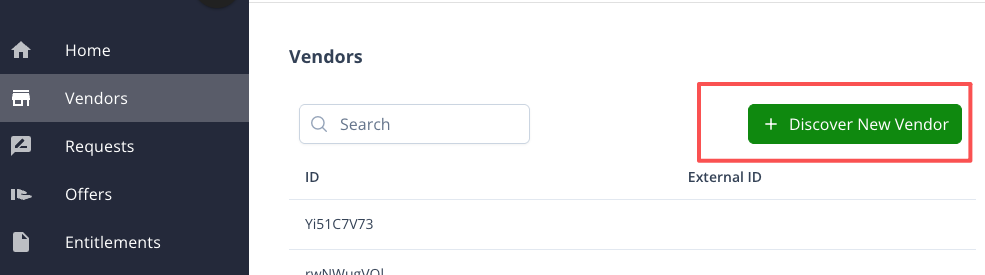
The entry point to vendor discovery is located on the Vendor List page, where buyers can access the Discover Vendors view from the page toolbar.
For each vendor, buyers can:
- View vendor profile information
- Browse the list of products offered by the vendor
- Review basic product details before initiating a purchase
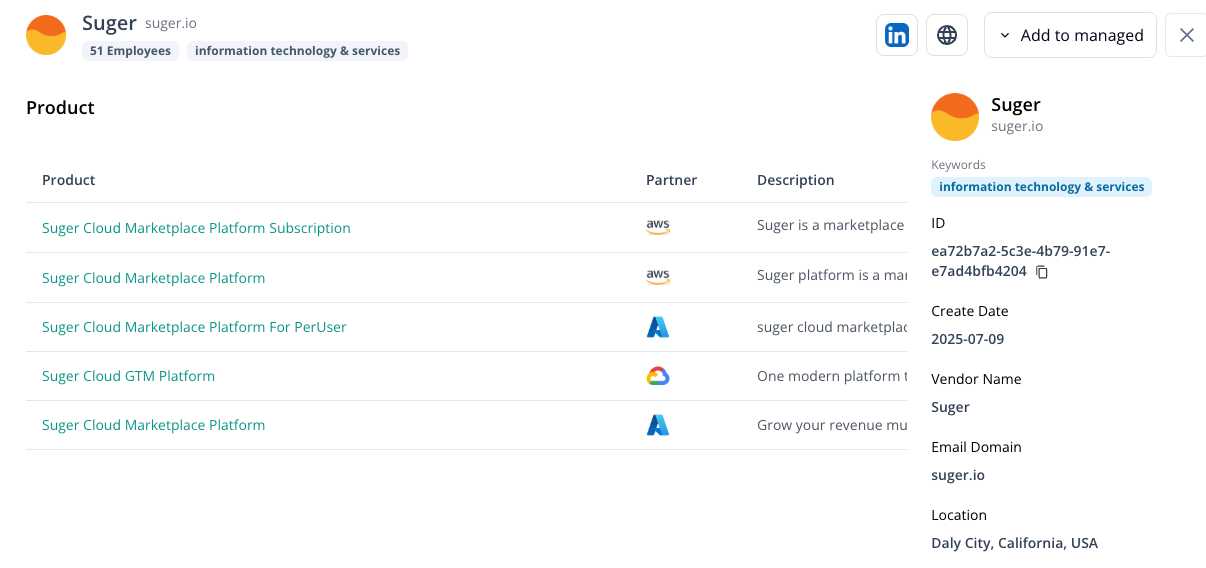
Discovering a vendor does not automatically establish a managed relationship. It enables buyers to evaluate vendors and their offerings before proceeding further.
Managed vendors
Once a buyer decides to work with a vendor, the vendor can be added to the Managed Vendor List.
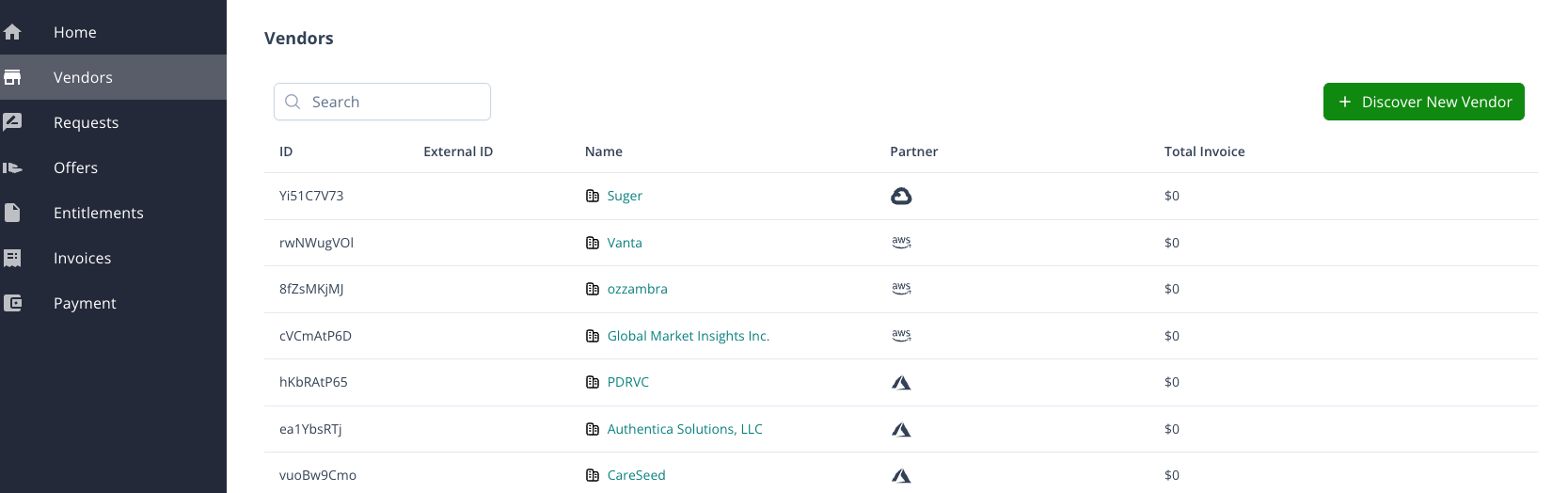
Buyers can add a vendor to the managed list from:
- The Discover Vendors list
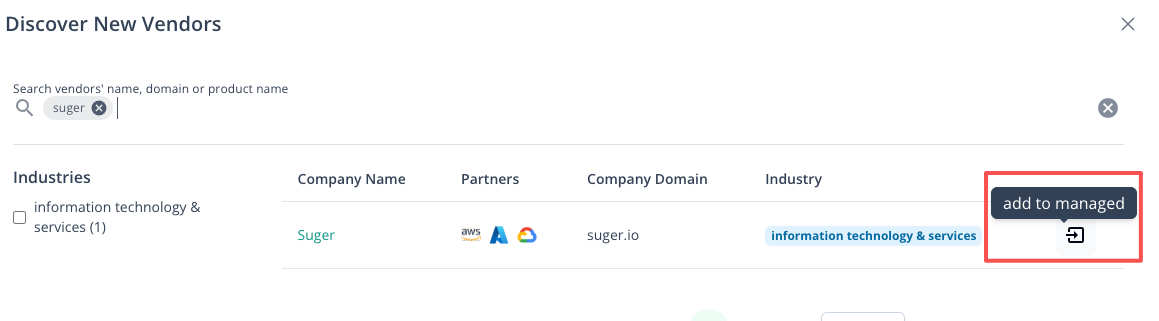
- The vendor detail page, via actions available in the page toolbar
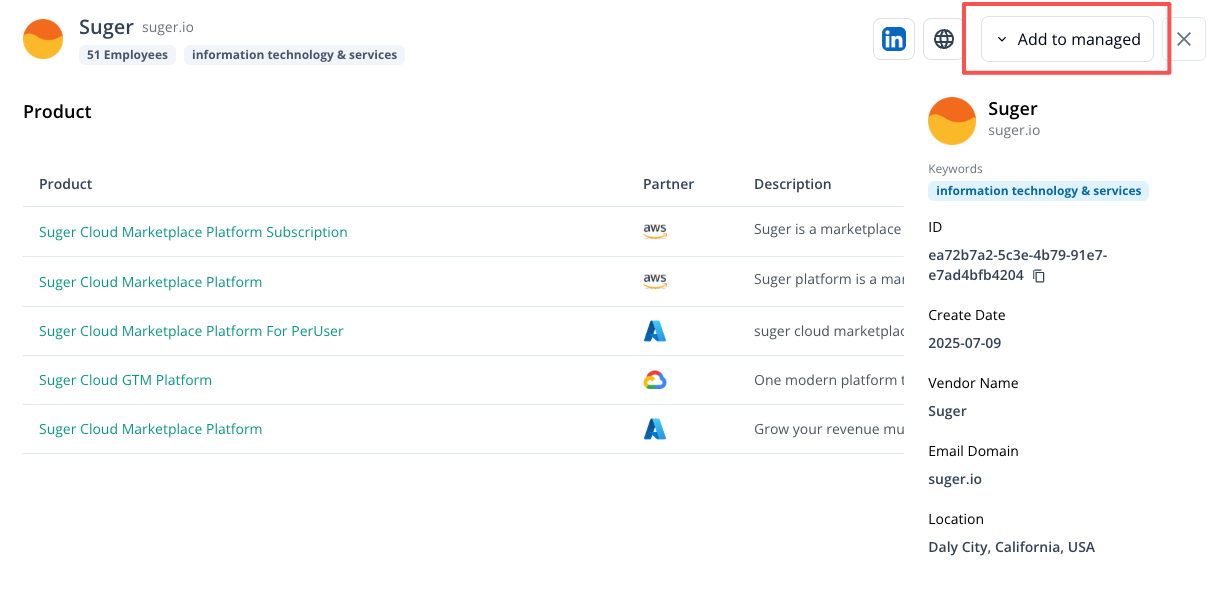
Managed vendors represent vendors that the buyer actively works with on the platform. From a managed vendor’s detail page, buyers can view all related purchasing information in one place, including:
- Purchased products
- Associated offers
- Entitlements
- Invoices
- Payment records
This view provides a consolidated perspective on the buyer–vendor relationship across the entire purchasing lifecycle.
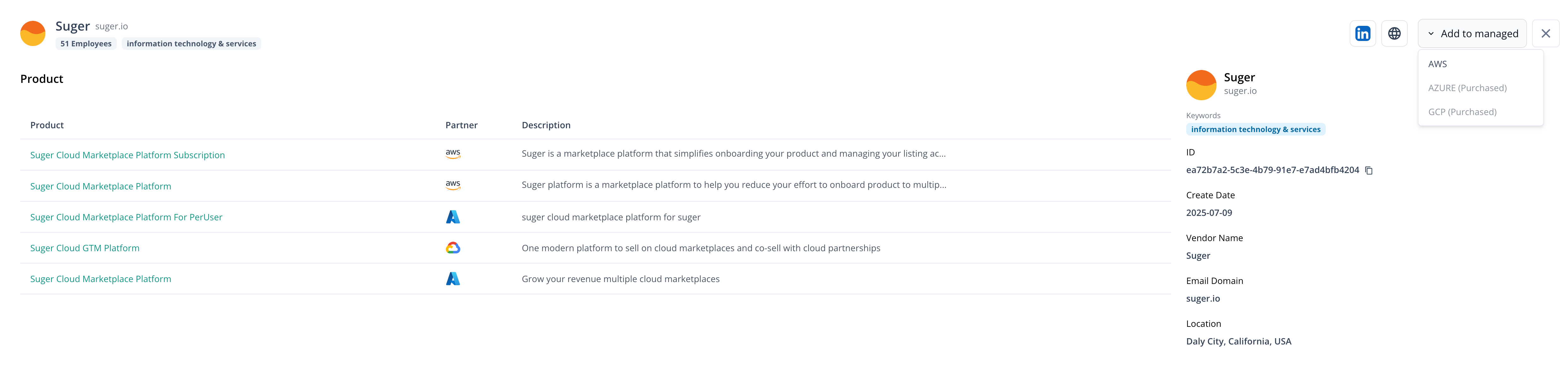
Purchasing from vendors
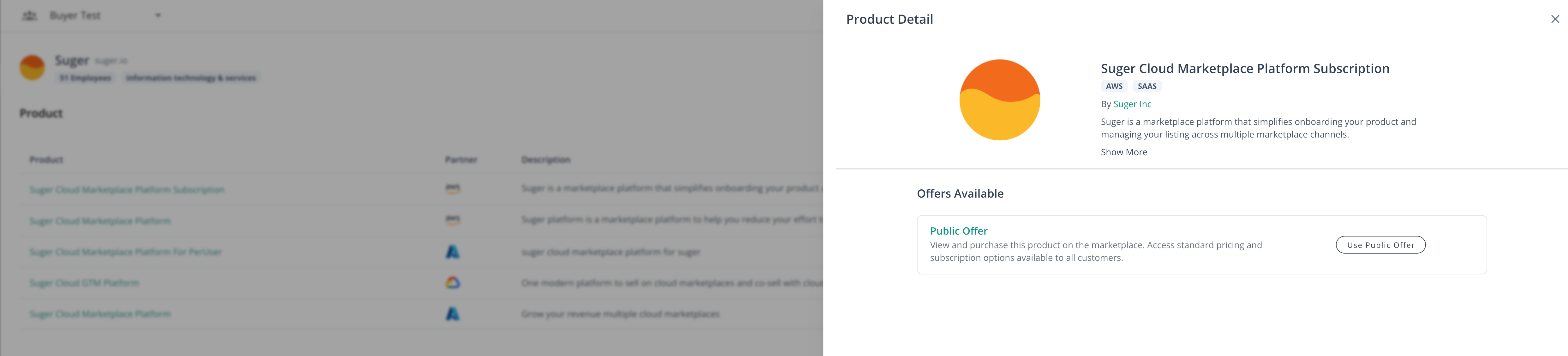
When viewing a vendor’s products, buyers can initiate the purchasing process from the product detail page.
Each product listed under a vendor has its own detail view. From there, buyers can choose to proceed with purchasing by using the available offer options.
- Public offers and trial offers are displayed directly on the product detail page. Buyers can select these options to proceed with the purchase, which will redirect them to the corresponding cloud marketplace to complete the transaction.
- Private offers are not initiated from the product detail page. They are managed and reviewed separately in the Private Offer list within Buyer Service.
Once a purchase is completed, the resulting offers, entitlements, and billing information are synced back to Buyer Service and associated with the corresponding managed vendor.