Co-Sell Insights
Suger Insights powered by AWS Co-Sell Agents.
Overview
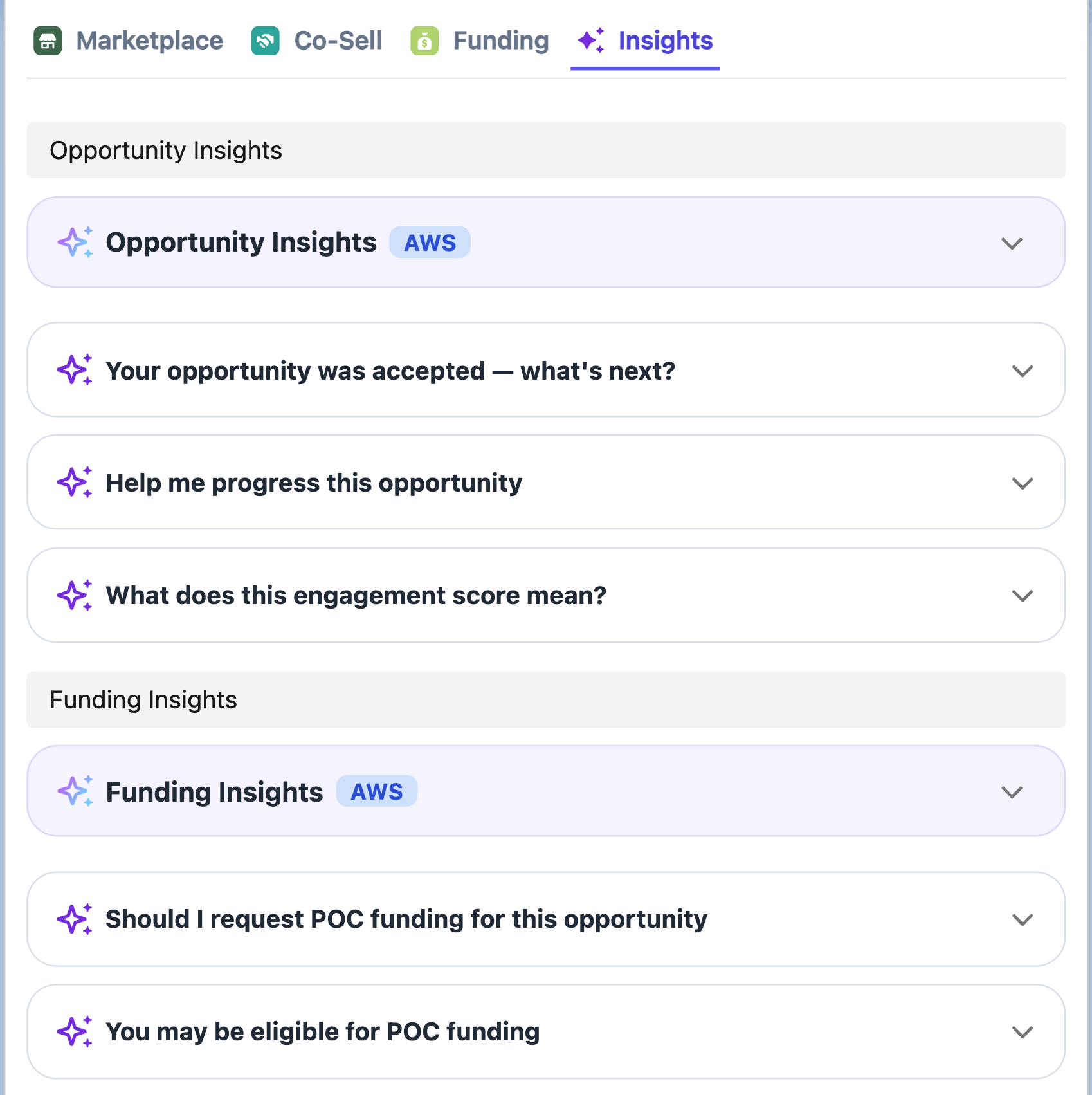
The Suger Widget Insights Tab uses pre-defined triggers to evaluate your opportunity data. It then surfaces actionable cards powered by AWS Co-Sell AI Agents to provide proactive guidance on deal progression, funding eligibility, and risk mitigation.
Prerequisites
To enable these AI-powered features, you must meet the following requirements:
- AWS PC 3.0 Migration: Your ACE account must be migrated to AWS Partner Central 3.0.
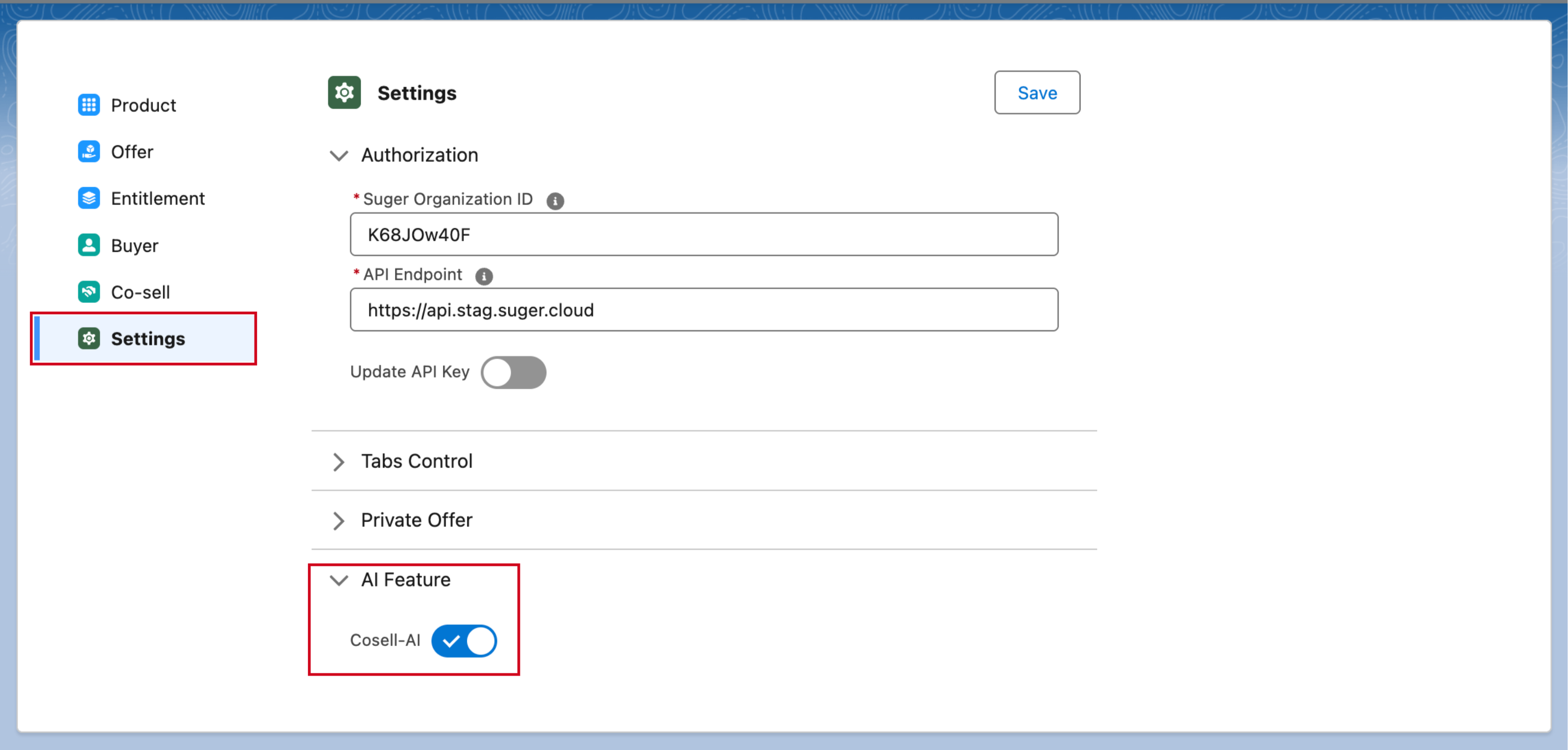
- Salesforce Settings: Navigate to your Suger Salesforce Settings and ensure the Cosell-AI toggle under AI Feature is activated.
How it Works
The Insights Tab is organized around three distinct card types, following a strict visual hierarchy:
1. Warning Cards (Suger-Computed)
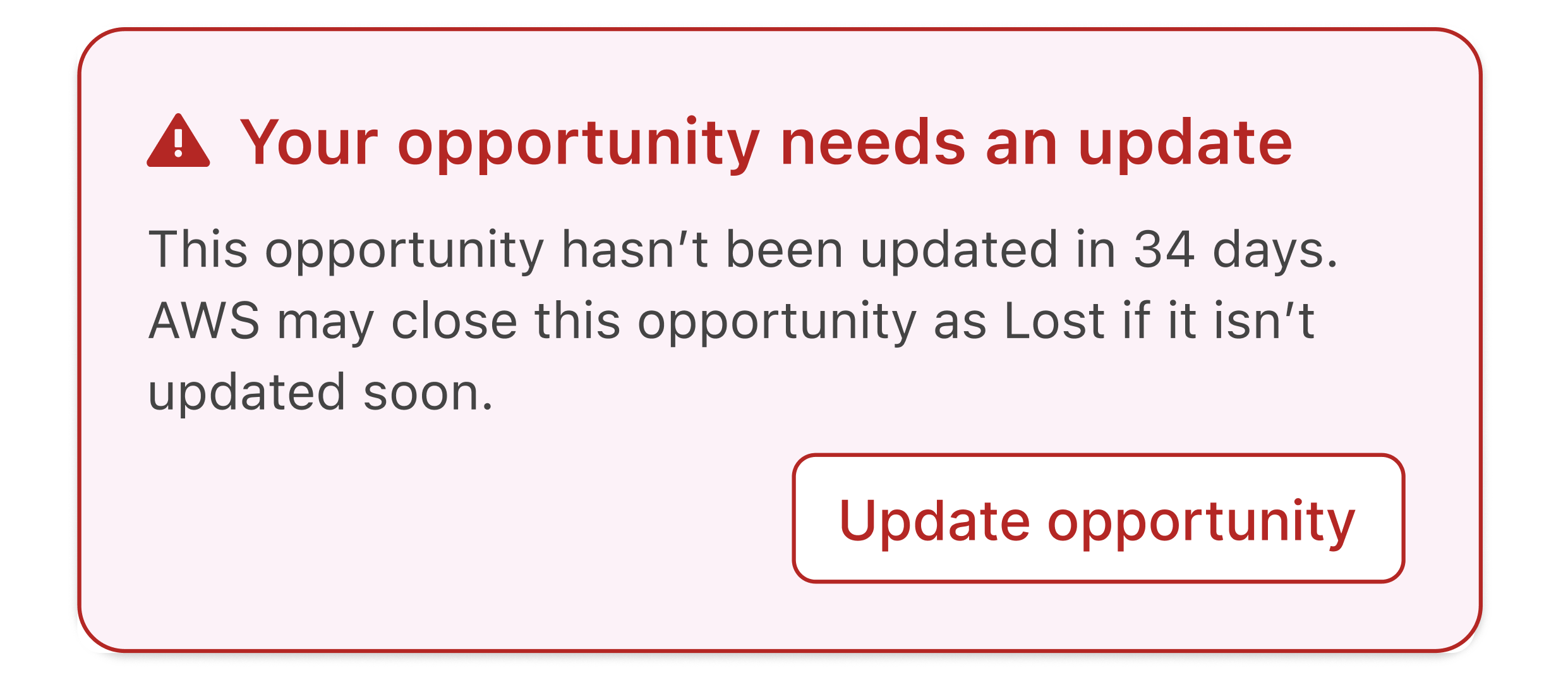
These are deterministic alerts rendered immediately at the absolute top of the AI Tab.
- Visibility: Always visible when a trigger condition is met (e.g., an opportunity hasn’t been updated in 30+ days).
- Interaction: These often include inline CTAs like “Update Close Date”. You can dismiss them for the current session, but they will reappear on your next visit if the condition persists.
2. Main Insight Cards (AWS MCP Powered)
These cards are fetched from AWS MCP when the AI Tab loads and are cached for approximately 10 days.
- Opportunity Insights: Provides a summary of general opportunity health, engagement scores, and quick wins.
- Funding Insights: Surfaces eligibility for programs like POC funding or MDF (available for approved/accepted opportunities).
3. AI Trigger Cards (Recommended Actions)
These cards map to specific conditions in the AWS ACE opportunity lifecycle and appear grouped beneath their parent Insight Card.
- Interaction: Click a card (e.g., “Help me progress this opportunity”) to expand it.
- Examples: “Why was this rejected?”, “Request POC funding”, or “Get pricing and business case support”.