
Partner Discovery
Discover and invite partners without leaving Suger, using AI-assisted recommendations or partner companies you already track in Salesforce.
Overview
Partner Discovery helps you find new partners and invite them into your network. You can source partners in two ways:
- Recommended Partners — AI-assisted recommendations generated from your existing partner and co-sell data.
- From Your CRM — Partner companies that already exist in Salesforce and have been configured as partners.
Use Partner Discovery to identify new partnership opportunities or quickly invite partners you already track in Salesforce.
Navigate to Partner Discovery
- Go to Suger Console, then click Partners.
- Click Partner Discovery.
- Switch between the Recommended Partners and From Your CRM tabs to see each source.
Recommended Partners
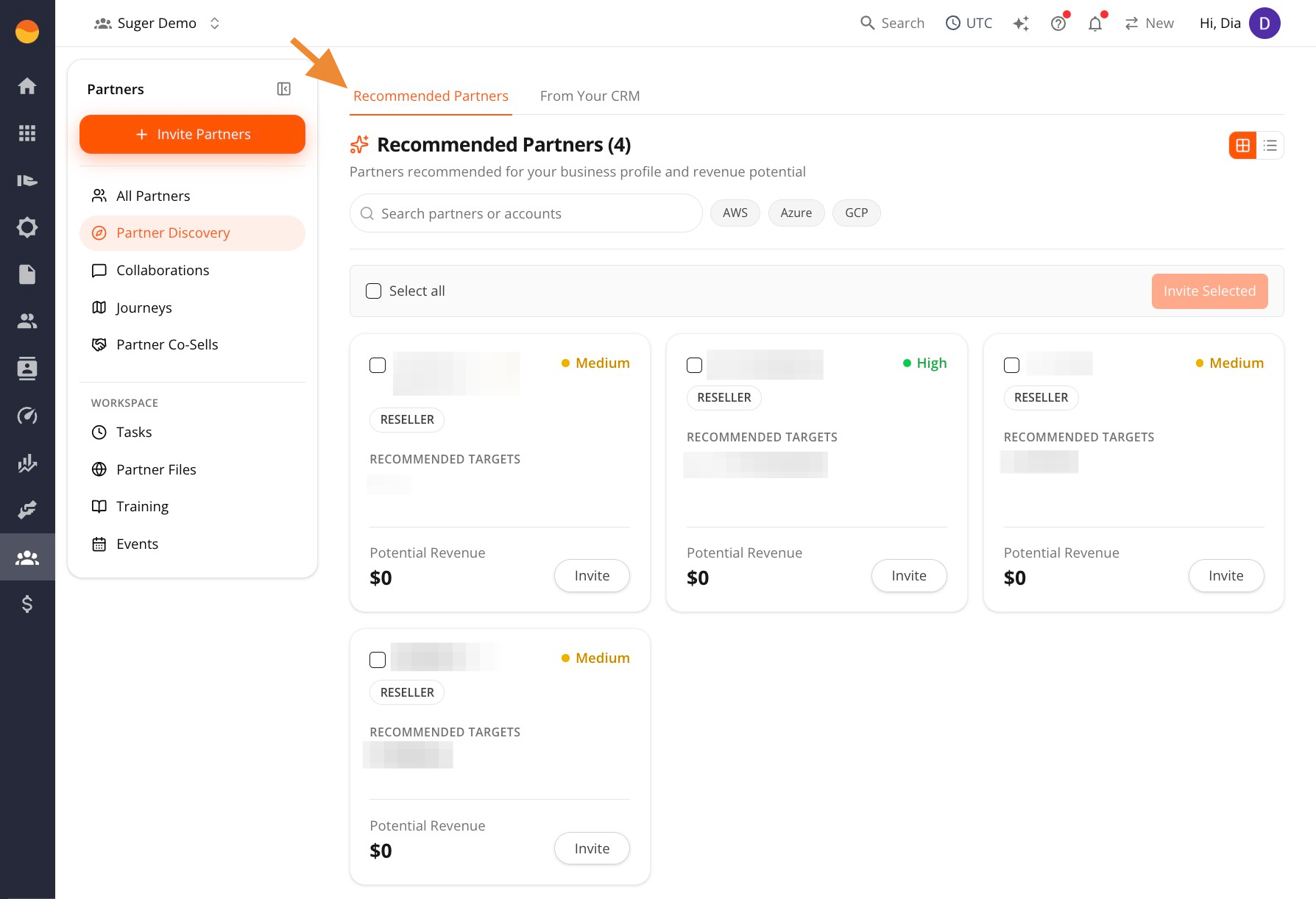
The Recommended Partners tab shows AI-assisted recommendations generated from the partner, referral, CRM, and co-sell data already available in your Suger account.
These recommendations aren’t pulled from a generic company directory. Instead, Suger analyzes the relationship and opportunity data already available in your organization to surface potential partners that may be relevant for collaboration opportunities.
Use this tab when you’re:
- Expanding your partner network using existing relationship data
- Looking for partners that may help create or accelerate opportunities
- Prioritizing which partners to engage first
Understanding the Recommendation Cards
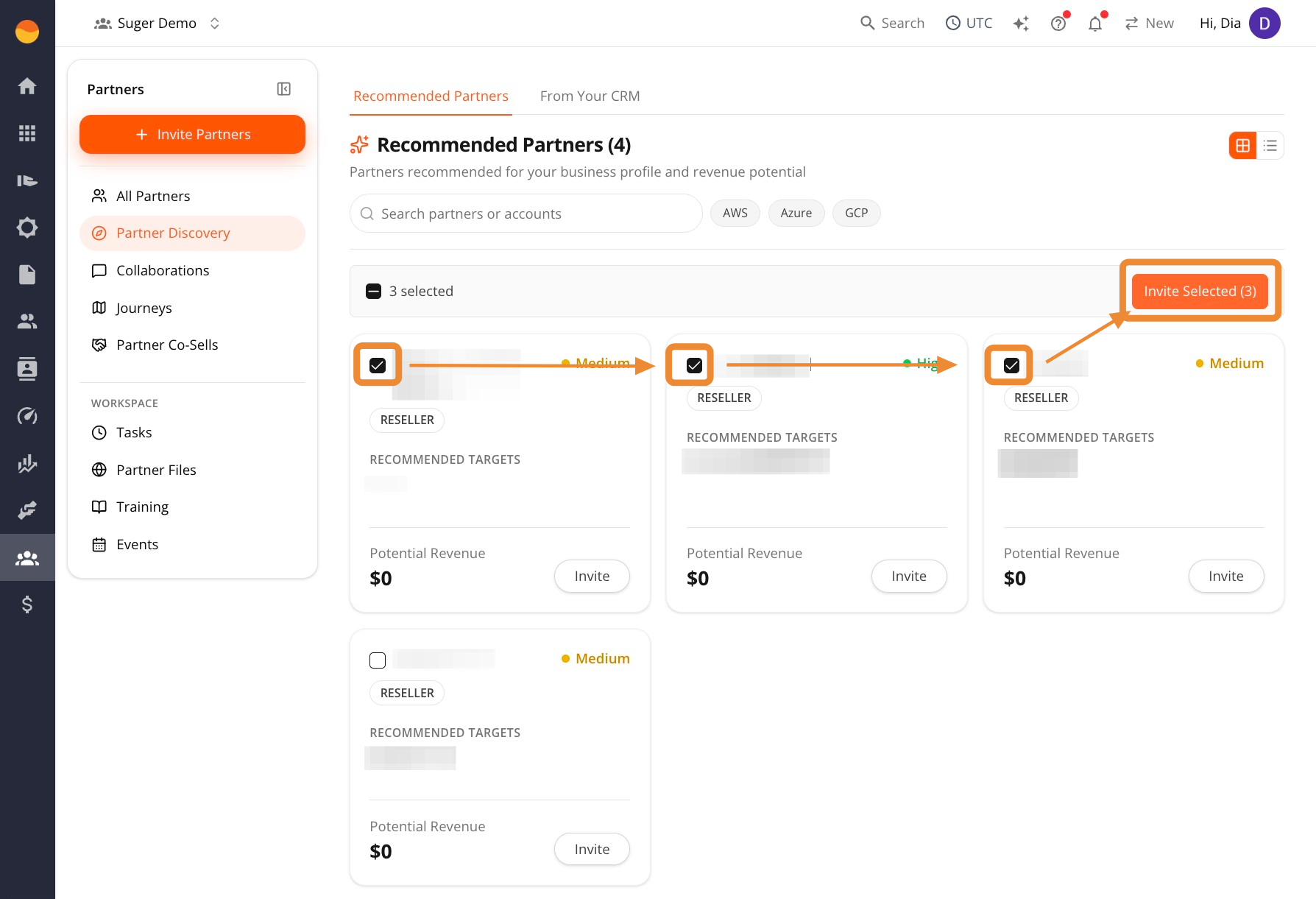
Each recommendation card includes:
- Partner Type — The type of partner, such as a reseller.
- Recommended Targets — Customer accounts where Suger has identified potential overlap or co-sell opportunities with this partner.
- Potential Revenue — An estimated revenue opportunity associated with the partnership, based on the data available in your account.
- Confidence tag — A recommendation strength indicator, such as
MediumorHigh, that helps you prioritize outreach.
How to Use These Recommendations
Partner Discovery helps you decide where to focus your outreach efforts. A simple approach is:
- Start with High confidence recommendations. These recommendations generally have stronger signals in your organization’s data.
- Review the Recommended Targets. Look for customer accounts where the partner may be able to help create or accelerate opportunities.
- Evaluate the opportunity. Consider whether the account overlap and estimated revenue opportunity make the partnership worth pursuing.
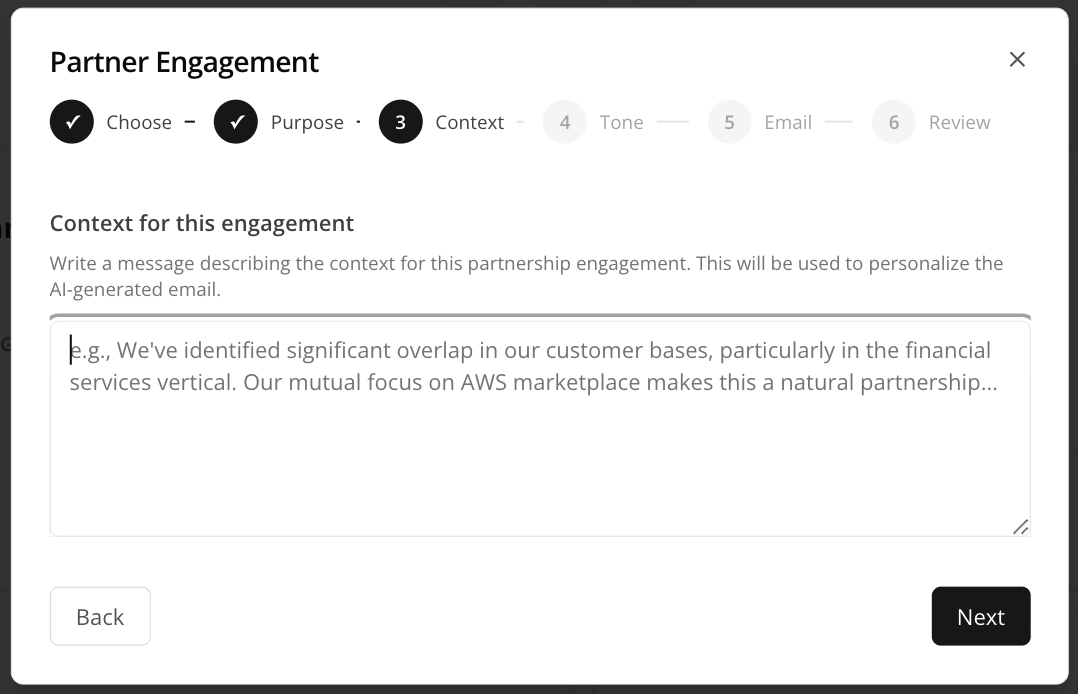
- Personalize your outreach. When sending an invitation, reference the shared account or opportunity in the Context for this engagement field so the invitation feels relevant rather than generic.
From Your CRM
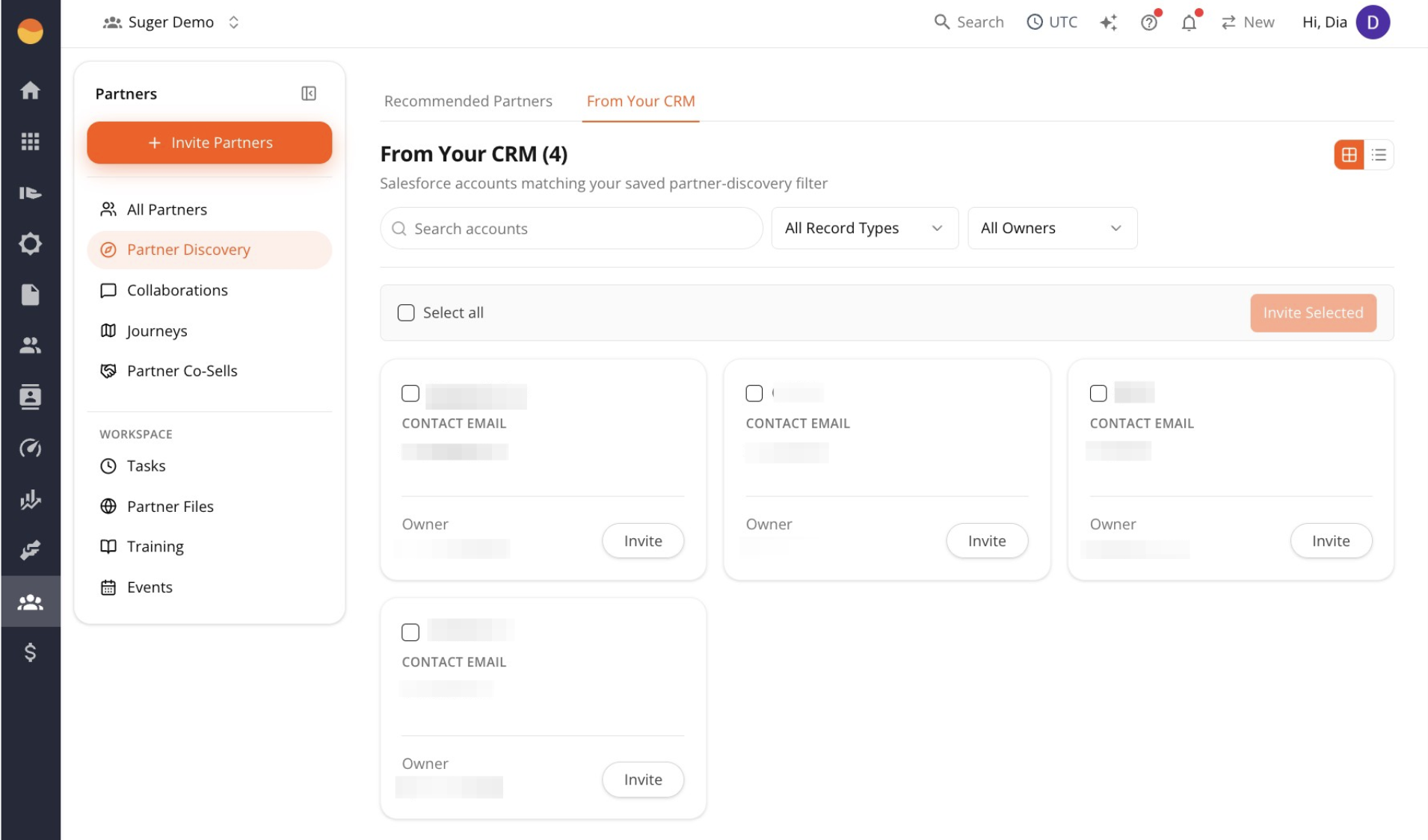
The From Your CRM tab shows partner companies that already exist in Salesforce.
During Salesforce setup, you tell Suger how to identify which Salesforce accounts should be treated as partners — for example, accounts where Type = Partner. Any accounts that match that rule automatically appear in this tab.
Use this tab when you already manage partner companies in Salesforce and want to invite them to Suger without manually entering their information.
Once your CRM configuration is saved:
- Matching partner accounts automatically appear here.
- Company names and contact emails are pre-filled from Salesforce.
- You can invite one or more partners directly from the results.
Invite Partners You Discover
After identifying partners in either tab, you can invite them directly.
-
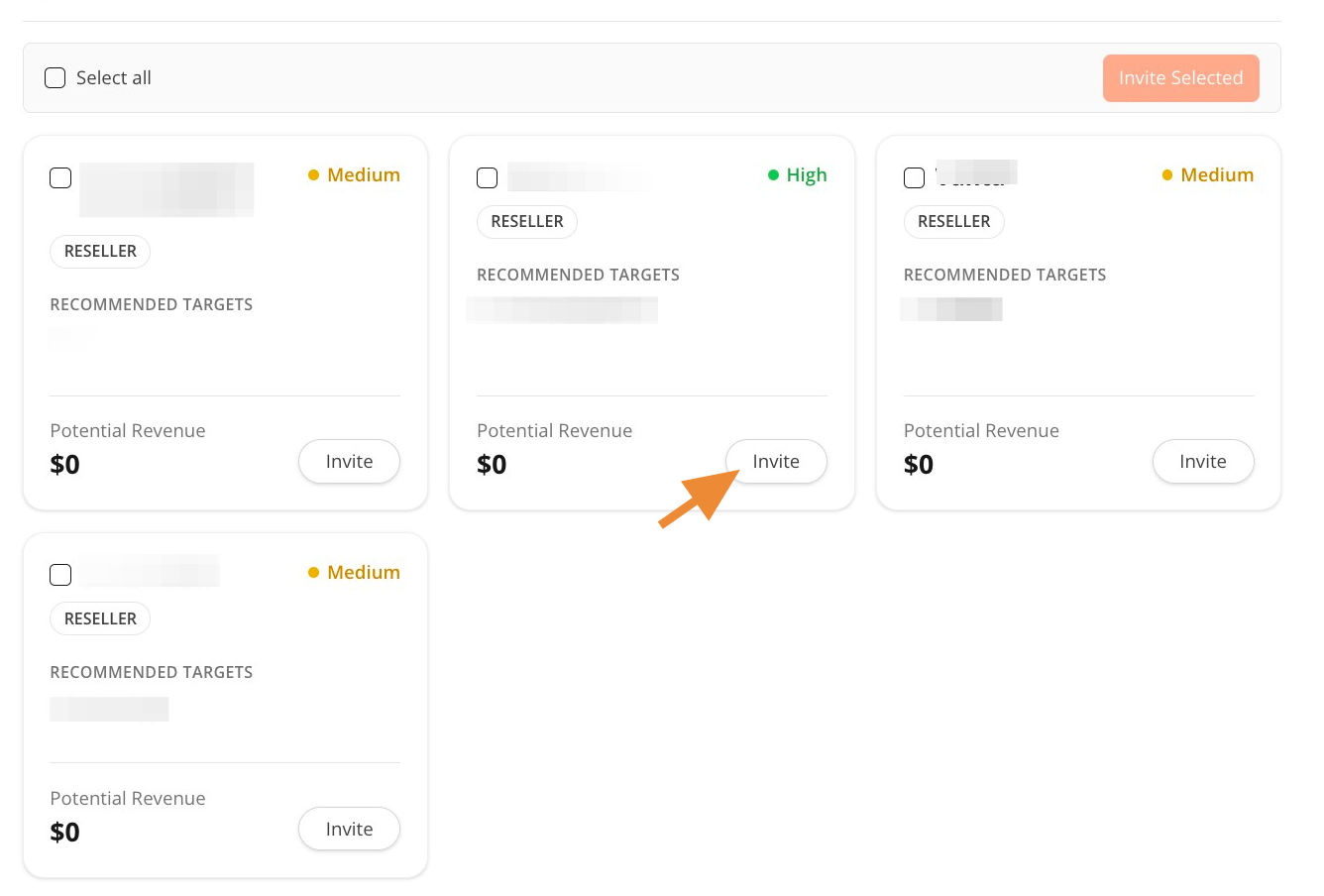
Click Invite on an individual partner card to invite one company.
-
Select multiple partners and click Invite Selected to send invitations in bulk.
Partner Discovery uses the same invitation workflow as manual invitations. For detailed instructions on inviting partners, see Invite Partners.