
How Billing Works
Insulin is billed on what you consume — model tokens, sandbox runtime, and stored files. There is no seat count and no subscription tier.
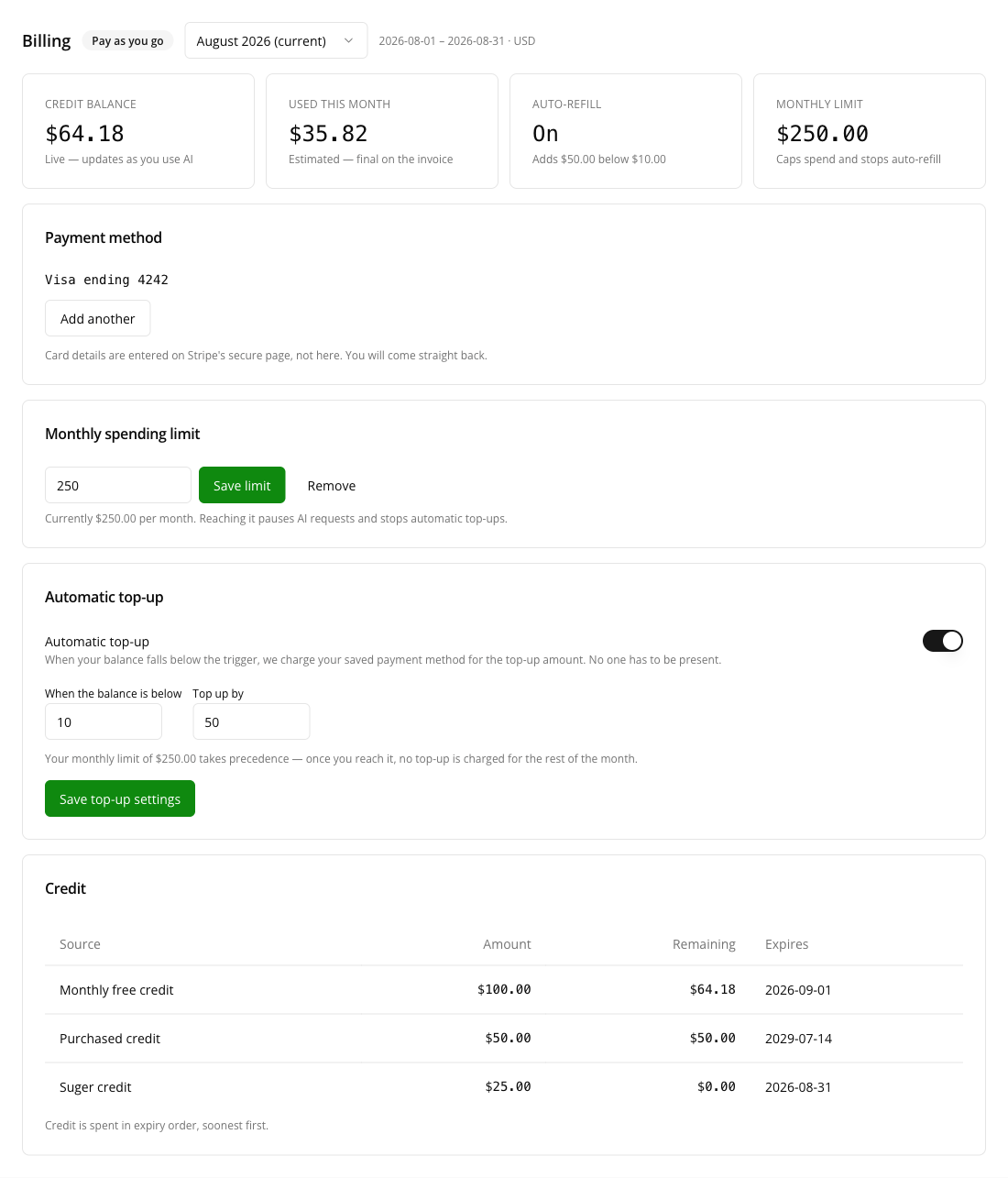
Find it all under Settings → Billing, in the Suger console or in the Settings app on the Insulin desktop. Every member of a seller, reseller, or partner organization can open the page; there is no admin-only view.
The two billing models
| Pay as you go | Monthly billing | |
|---|---|---|
| When you pay | Before you use it | After, on an invoice |
| Payment method | Optional until you want to add credit | Required |
| Running out | AI requests pause at a zero balance | No automatic cut-off |
| Suits | Most accounts | Committed or contracted usage |
Every account starts on pay as you go. Your current model is shown as a badge beside the Billing heading.
Switching between them is arranged with Suger and takes effect at the start of the next month, not immediately — a mid-month switch would split one month’s usage across two sets of rules and produce an invoice nobody could explain. Unused purchased credit carries across the change.
A month, start to finish
What the invoice does depends on your billing model
On pay as you go the usage was already paid for as it happened — every request came off a credit balance you had already funded. The invoice for the period is therefore a statement, and collects nothing. The one exception is a balance that ended the month below zero: storage and an already-running sandbox keep accruing after AI requests stop, and that overshoot was never covered by credit, so it is collected.
On monthly billing nothing was collected as you went, so the invoice is the bill: it carries the period’s metered total, any credit you hold is applied against it on the document, and the balance is returned to zero so the next period starts clean.
Two things can stop an invoice being issued for a closed period. Invoicing is enabled per account by Suger, and nothing is issued before it is. And an amount to collect that is below the payment provider’s $0.50 minimum is carried into a later period rather than charged — the period simply stays open. In both cases the usage is still metered, and on pay as you go it has still come off your balance.
What is charged
Six resources are metered. What is metered covers how each is measured; this is the short version.
| Charged | How it is measured |
|---|---|
| AI input tokens | Everything sent to the model, including cached context |
| AI output tokens | Everything the model produces, including reasoning tokens |
| Sandbox processor | While the sandbox is running |
| Sandbox memory | While the sandbox is running |
| Sandbox storage | While the sandbox exists, including while it is stopped |
| Object storage | The highest volume held on any single day of the month |
Two of these surprise people, so they are worth stating plainly.
A stopped sandbox still costs storage. Stopping releases processor and memory, but the volume is still reserved for you. Delete the sandbox to stop the charge.
Object storage bills the month’s peak, not the month’s end. If you hold 500 GB for one day and delete it, that month is billed for 500 GB. The capacity was reserved on the day you used it, and deleting afterwards does not give it back retroactively.
Credit
Credit offsets consumption. It appears in the Credit table at the bottom of the page, with the amount granted, what is left of it, and when it expires.
| Kind | Shown as | Valid for |
|---|---|---|
| The monthly free allowance | Monthly free credit | The month it was issued |
| Credit added by a top-up or purchase | Purchased credit | Three years |
| Credit granted by Suger | Suger credit | As stated when it was granted |
| A correction to a period | Adjustment | That period |
Every organization is granted $100 of free credit on the 1st of each month. Some accounts have a different recurring amount arranged with Suger; the Credit table always shows the real figure for your organization.
Credit is spent soonest-expiry first. So the monthly free credit is used before credit you paid for, and paid credit is not wasted while free credit sits unused. This is also the answer to “which credit paid for this?” — the one that was closest to expiring at the time.
Unused free credit does not roll over. It expires at the end of the month it was issued in.
Estimated versus final
The Used this month card is labelled Estimated — final on the invoice while the month is open, and Final once the period has closed.
That is not a hedge. A mid-month figure is a running total that will still move — storage is billed on the month’s peak, which is not known until the month ends, and consumption from the last few minutes may not be aggregated yet. The final figure is the one that is charged.
The Credit balance beside it behaves differently: it is live, and reflects consumption within about a minute.
What is not billed
- Suger’s own use of AI. Platform features that call a model internally — summarization, search indexing, field mapping, reranking — are not billed to you.
- Anything outside Insulin. Only consumption in the AI service reaches the billing records.
Where to next
- What is metered — the units, the pricing rules, and BYOK.
- Reading your usage — attributing spend to people, apps and models.
- Payment, limits, and top-ups — the controls you own.
- When AI pauses — what stops, what does not, and why.
Spotted something wrong or out of date on this page? Tell us and we'll correct it.