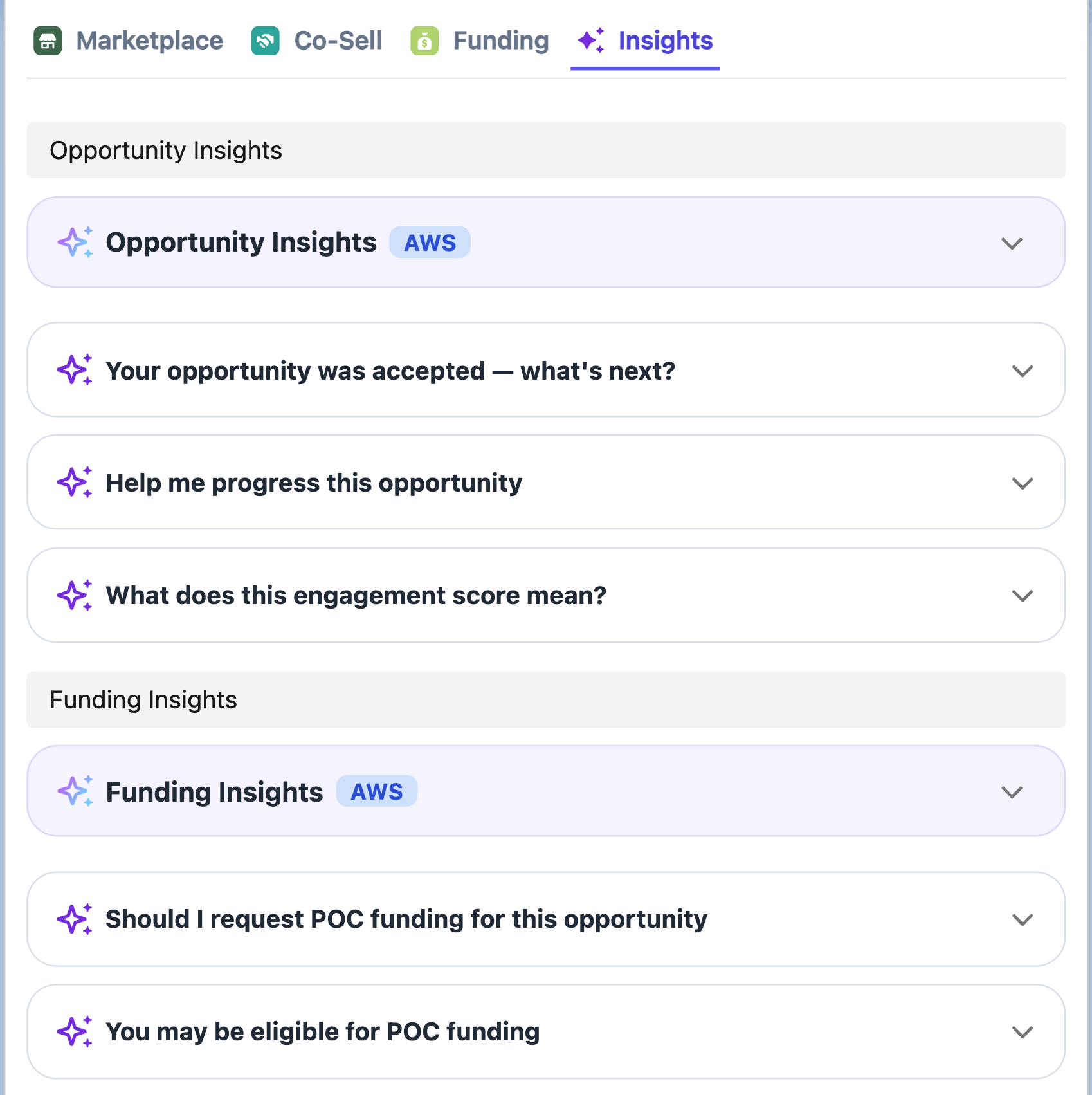
# Co-Sell Insights
Suger Insights powered by AWS Co-Sell Agents.
---
## Overview
The Suger Widget **Insights Tab** uses pre-defined triggers to evaluate your opportunity data. It then surfaces actionable cards powered by AWS Co-Sell AI Agents to provide proactive guidance on deal progression, funding eligibility, and risk mitigation.
## Prerequisites
To enable these AI-powered features, you must meet the following requirements:
- **AWS PC 3.0 Migration**: Your ACE account must be migrated to AWS Partner Central 3.0.
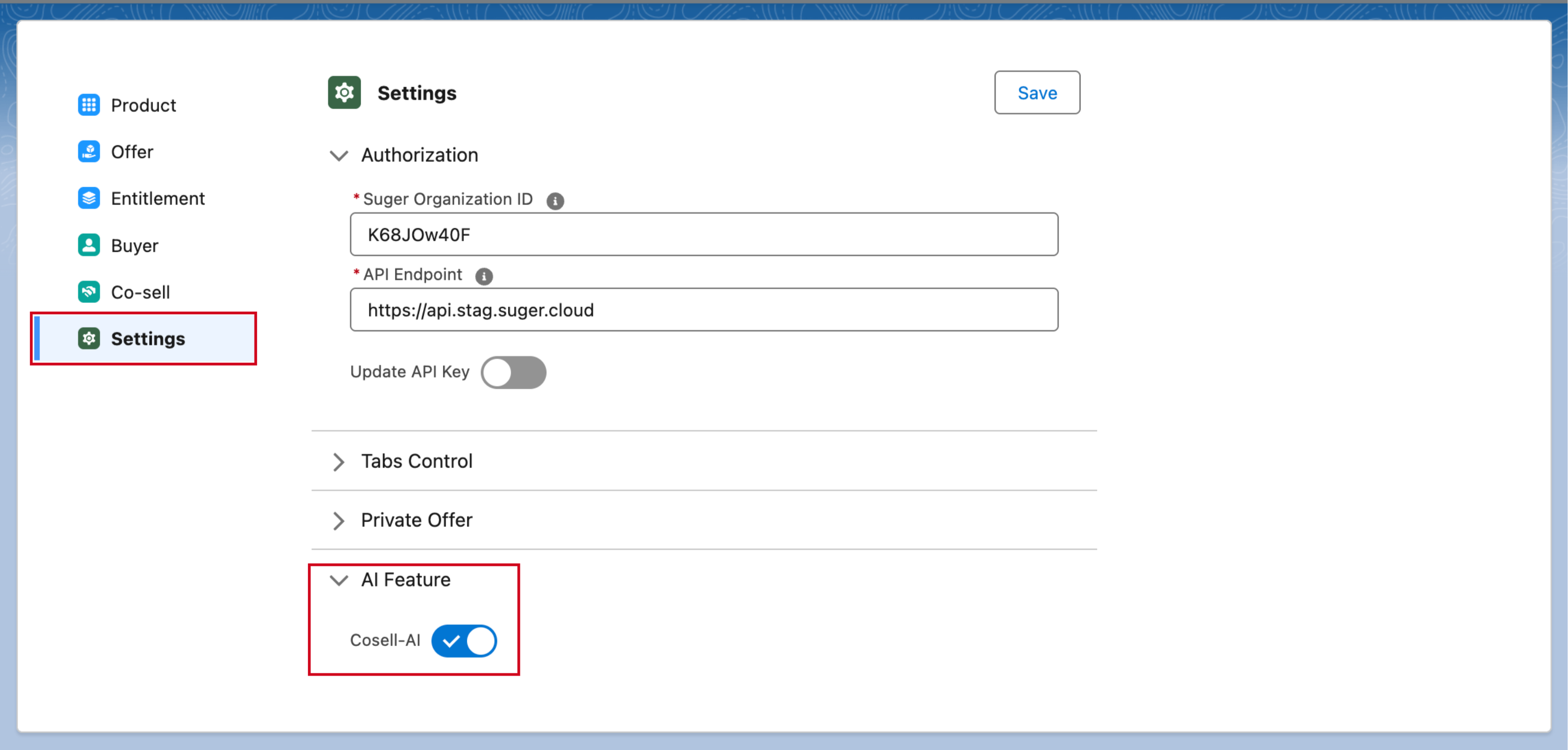
- **Salesforce Settings**: Navigate to your Suger Salesforce Settings and ensure the **Cosell-AI toggle** under **AI Feature** is activated.
>  ## How it Works
The Insights Tab is organized around three distinct card types, following a strict visual hierarchy:
### 1. Warning Cards (Suger-Computed)
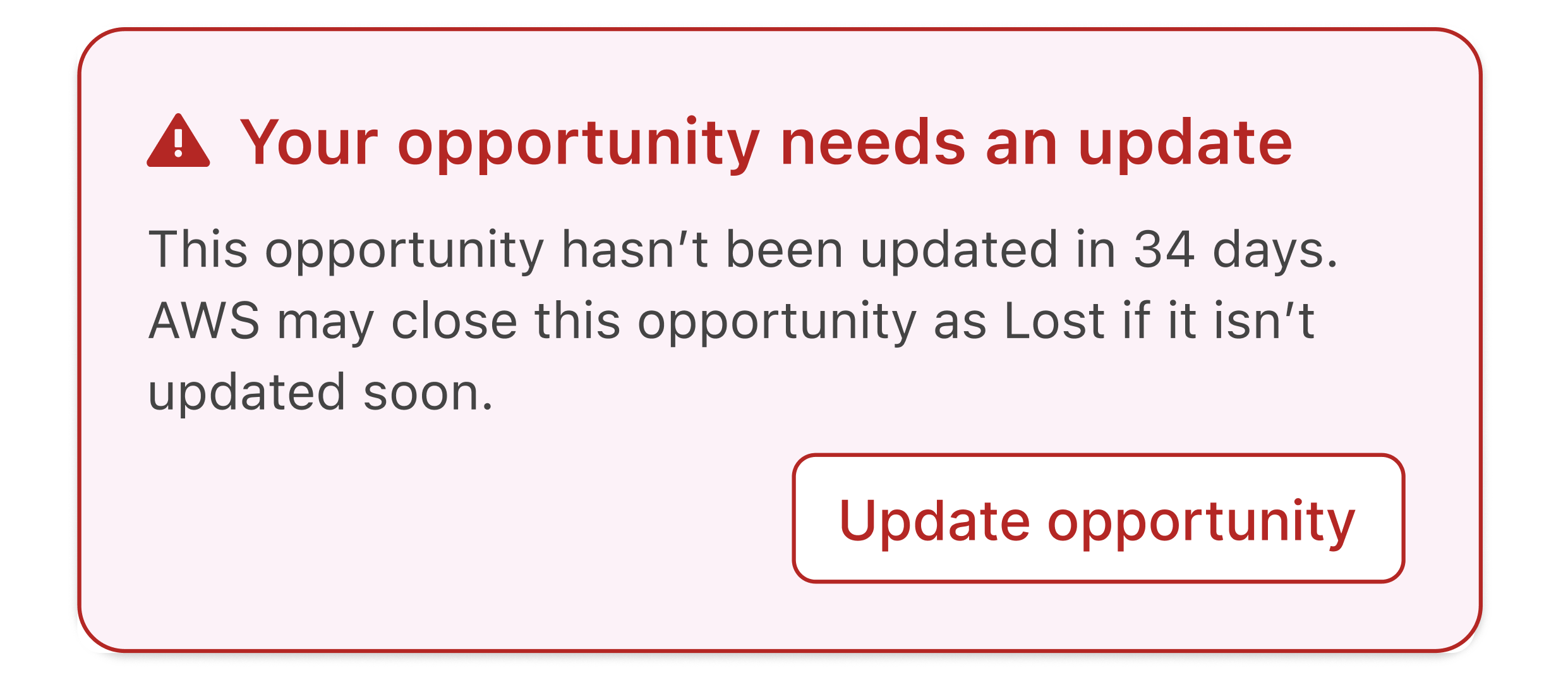
These are deterministic alerts rendered immediately at the absolute top of the AI Tab.
- **Visibility**: Always visible when a trigger condition is met (e.g., an opportunity hasn't been updated in 30+ days).
- **Interaction**: These often include inline CTAs like "Update Close Date". You can dismiss them for the current session, but they will reappear on your next visit if the condition persists.
>
## How it Works
The Insights Tab is organized around three distinct card types, following a strict visual hierarchy:
### 1. Warning Cards (Suger-Computed)
These are deterministic alerts rendered immediately at the absolute top of the AI Tab.
- **Visibility**: Always visible when a trigger condition is met (e.g., an opportunity hasn't been updated in 30+ days).
- **Interaction**: These often include inline CTAs like "Update Close Date". You can dismiss them for the current session, but they will reappear on your next visit if the condition persists.
>  ### 2. Main Insight Cards (AWS MCP Powered)
These cards are fetched from AWS MCP when the AI Tab loads and are cached for approximately 10 days.
- **Opportunity Insights**: Provides a summary of general opportunity health, engagement scores, and quick wins.
- **Funding Insights**: Surfaces eligibility for programs like POC funding or MDF (available for approved/accepted opportunities).
### 3. AI Trigger Cards (Recommended Actions)
These cards map to specific conditions in the AWS ACE opportunity lifecycle and appear grouped beneath their parent Insight Card.
- **Interaction**: Click a card (e.g., "Help me progress this opportunity") to expand it.
- **Examples**: "Why was this rejected?", "Request POC funding", or "Get pricing and business case support".
>
### 2. Main Insight Cards (AWS MCP Powered)
These cards are fetched from AWS MCP when the AI Tab loads and are cached for approximately 10 days.
- **Opportunity Insights**: Provides a summary of general opportunity health, engagement scores, and quick wins.
- **Funding Insights**: Surfaces eligibility for programs like POC funding or MDF (available for approved/accepted opportunities).
### 3. AI Trigger Cards (Recommended Actions)
These cards map to specific conditions in the AWS ACE opportunity lifecycle and appear grouped beneath their parent Insight Card.
- **Interaction**: Click a card (e.g., "Help me progress this opportunity") to expand it.
- **Examples**: "Why was this rejected?", "Request POC funding", or "Get pricing and business case support".
>