# Price Model
Define how the buyer will be charged.
---
## Overview
There are 2 types of price models can be configured in the offer:
- **Flat fee**: A fixed amount charged for the offer, which can be configured as installments or recurring commits.
- **Usage metering**: A usage-based pricing model that charges the buyer based on the actual usage of metrics.
**Billing period**
The price model will be applied to the contract and the buyer will be charged peroidlly in the entire contract duration, each period is called a billing period.
**Billing cycle**
The start day of the billing period, which can be the start day of the entitlement or the 1st day of the month.
**Billing interval**
The billing frequency, such as monthly, quarterly, annually, etc.
## Flat fee
### Installments
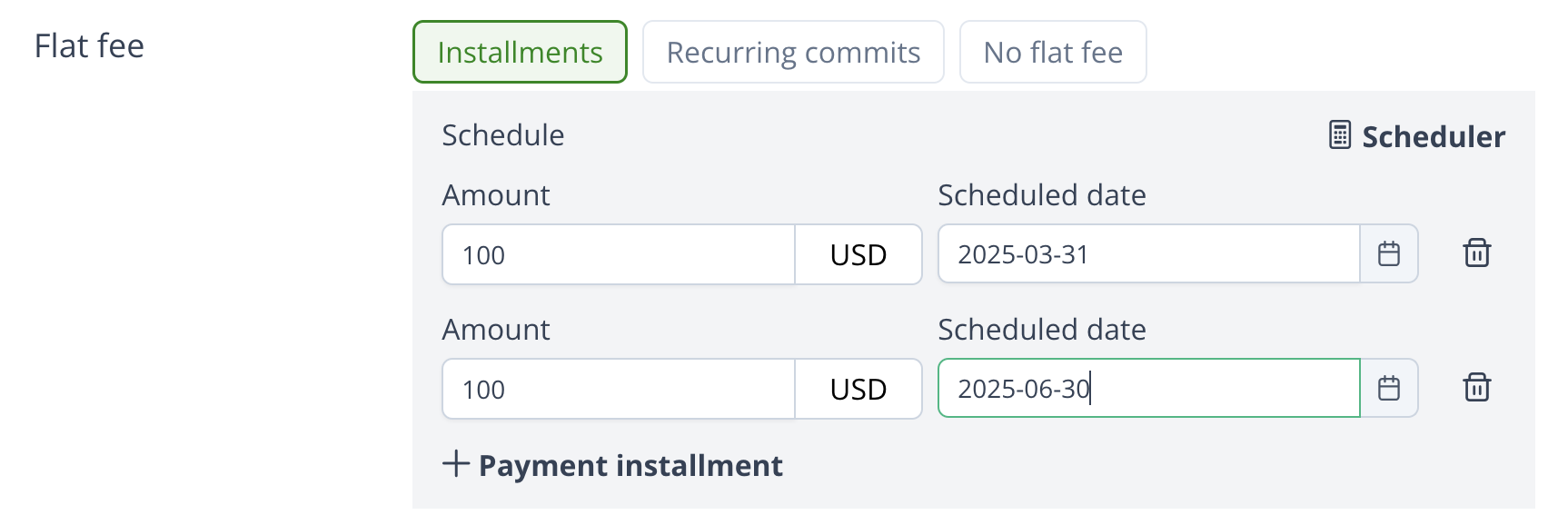
It's very flexible to use installments to charge the buyer. You can configure a series of installments and each installment consists of amount and payment date, which like a payment schedule.
 ### Recurring commits
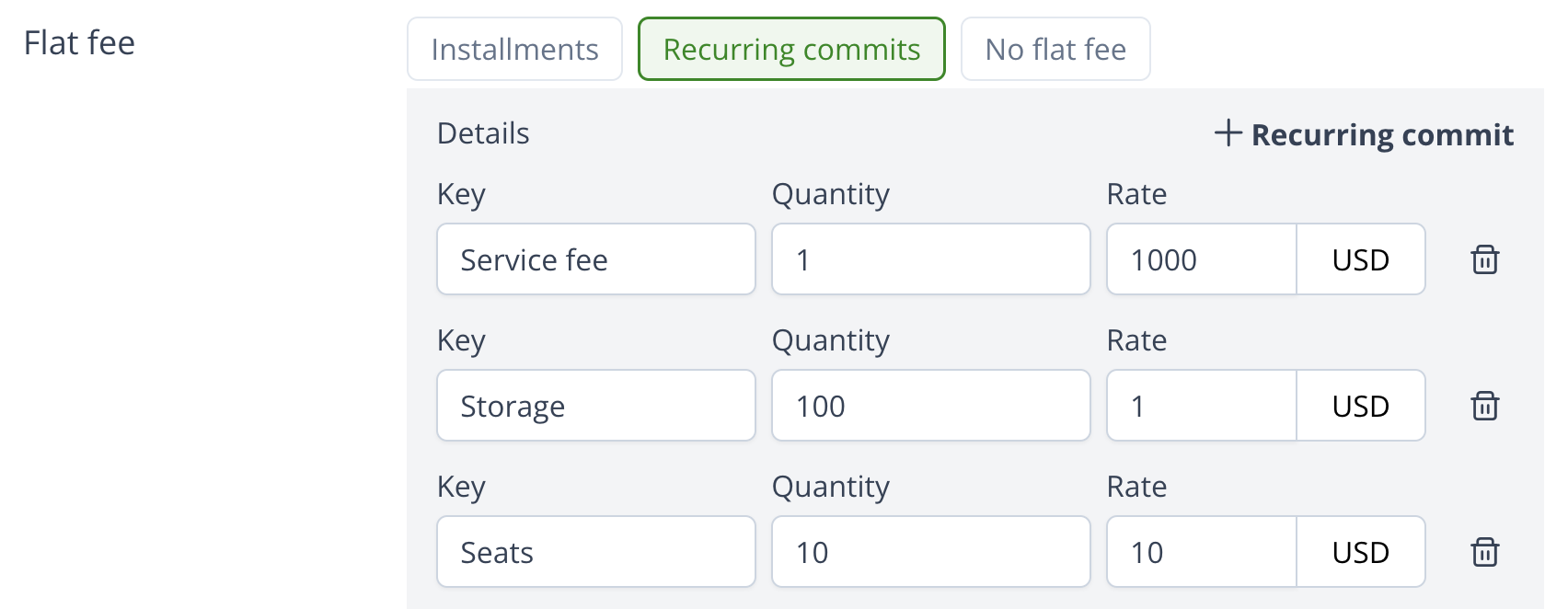
If you want to charge the buyer in a fixed amount per period, use the recurring commits.
A recurring commit should have name, quantity and rate. The total amount is calculated as `quantity * rate`. You can add multiple recurring commits in the offer.
### Recurring commits
If you want to charge the buyer in a fixed amount per period, use the recurring commits.
A recurring commit should have name, quantity and rate. The total amount is calculated as `quantity * rate`. You can add multiple recurring commits in the offer.
 **Prepay or postpay**
You can choose to charge the buyer in advance or in arrears for the recurring commits.
**Update commit quantity**
You can update the commit quantity during the contract. Which is useful in the `Per-Seat` offer scenario, for example, the buyer may want to increase/decrease the number of seats during the contract.
## Usage metering
In addition to the flat fee, you can also charge the buyer based on the actual usage.
**Billable dimension**
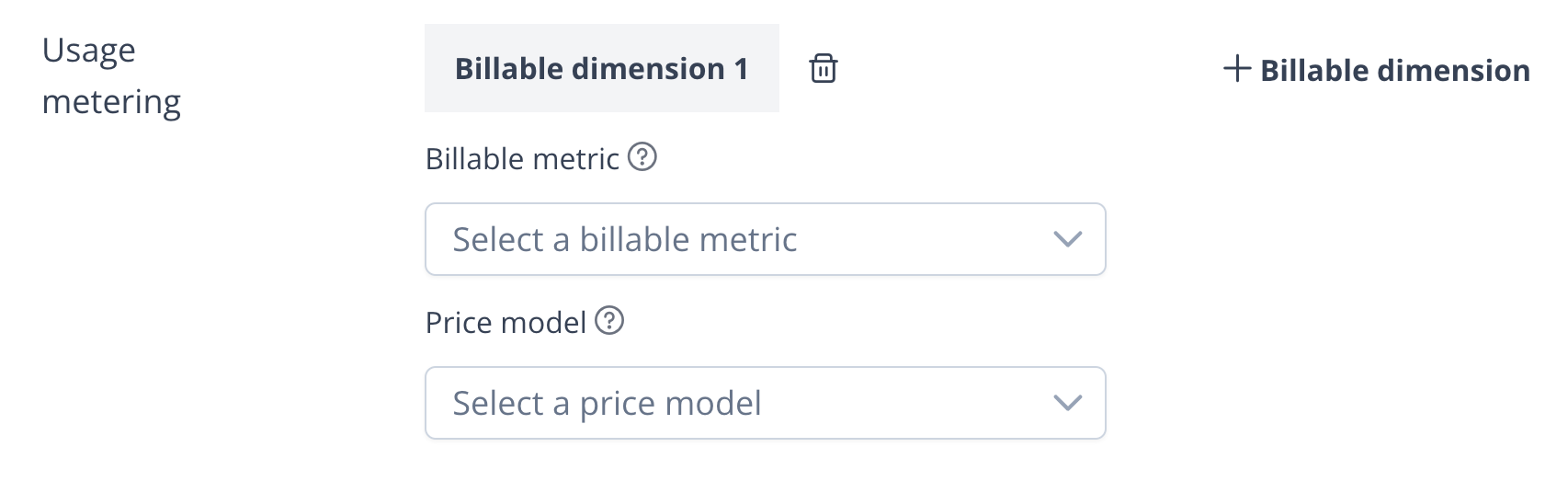
A billable metric and how it is charged makes up a billable dimension, you can configure multiple billable dimensions in the offer.
**Prepay or postpay**
You can choose to charge the buyer in advance or in arrears for the recurring commits.
**Update commit quantity**
You can update the commit quantity during the contract. Which is useful in the `Per-Seat` offer scenario, for example, the buyer may want to increase/decrease the number of seats during the contract.
## Usage metering
In addition to the flat fee, you can also charge the buyer based on the actual usage.
**Billable dimension**
A billable metric and how it is charged makes up a billable dimension, you can configure multiple billable dimensions in the offer.
 ### Usage metering price model
The way to charge the metric is called usage metering price model, Suger supports the following 7 types price models:
- Basic pricing
- Tiered pricing
- Bulk pricing
- Volume pricing
- Percentage pricing
- Tiered percentage pricing
- Matrix pricing
**Basic pricing**
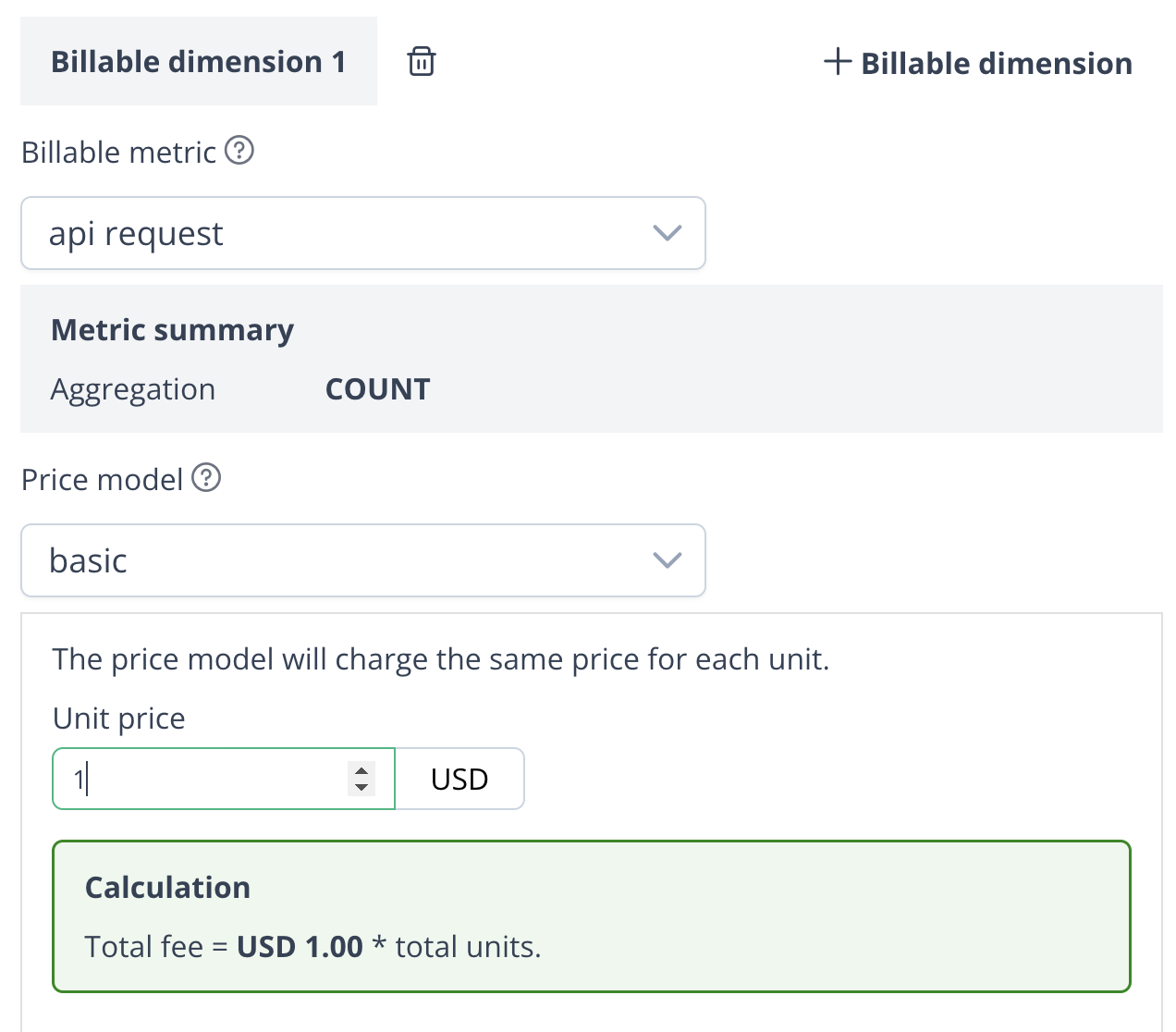
In a basic price model, each unit of a Billable Metric is assigned a fixed cost.
### Usage metering price model
The way to charge the metric is called usage metering price model, Suger supports the following 7 types price models:
- Basic pricing
- Tiered pricing
- Bulk pricing
- Volume pricing
- Percentage pricing
- Tiered percentage pricing
- Matrix pricing
**Basic pricing**
In a basic price model, each unit of a Billable Metric is assigned a fixed cost.
 Example:
Consider a company offering cloud storage services at a rate of $0.5 per gigabyte (GB).
In this scenario, the `per unit` is set to $0.5 for Billable Metric "per gigabyte", indicating that each GB costs $0.5.
For 10 units, `10 x 0.5(unit amount) = 5`, $5 in total.
**Tiered pricing**
In tiered pricing, the cost of a given unit depends on the tier range that it falls into, defined by upper and lower bounds.
For example, the first 5 GB costs $0.5 each with $10 flat fee, 6-10 GB costs $0.3 each with $5 flat fee, and all subsequent GBs cost $0.2 each with no flat fee.
Example:
Consider a company offering cloud storage services at a rate of $0.5 per gigabyte (GB).
In this scenario, the `per unit` is set to $0.5 for Billable Metric "per gigabyte", indicating that each GB costs $0.5.
For 10 units, `10 x 0.5(unit amount) = 5`, $5 in total.
**Tiered pricing**
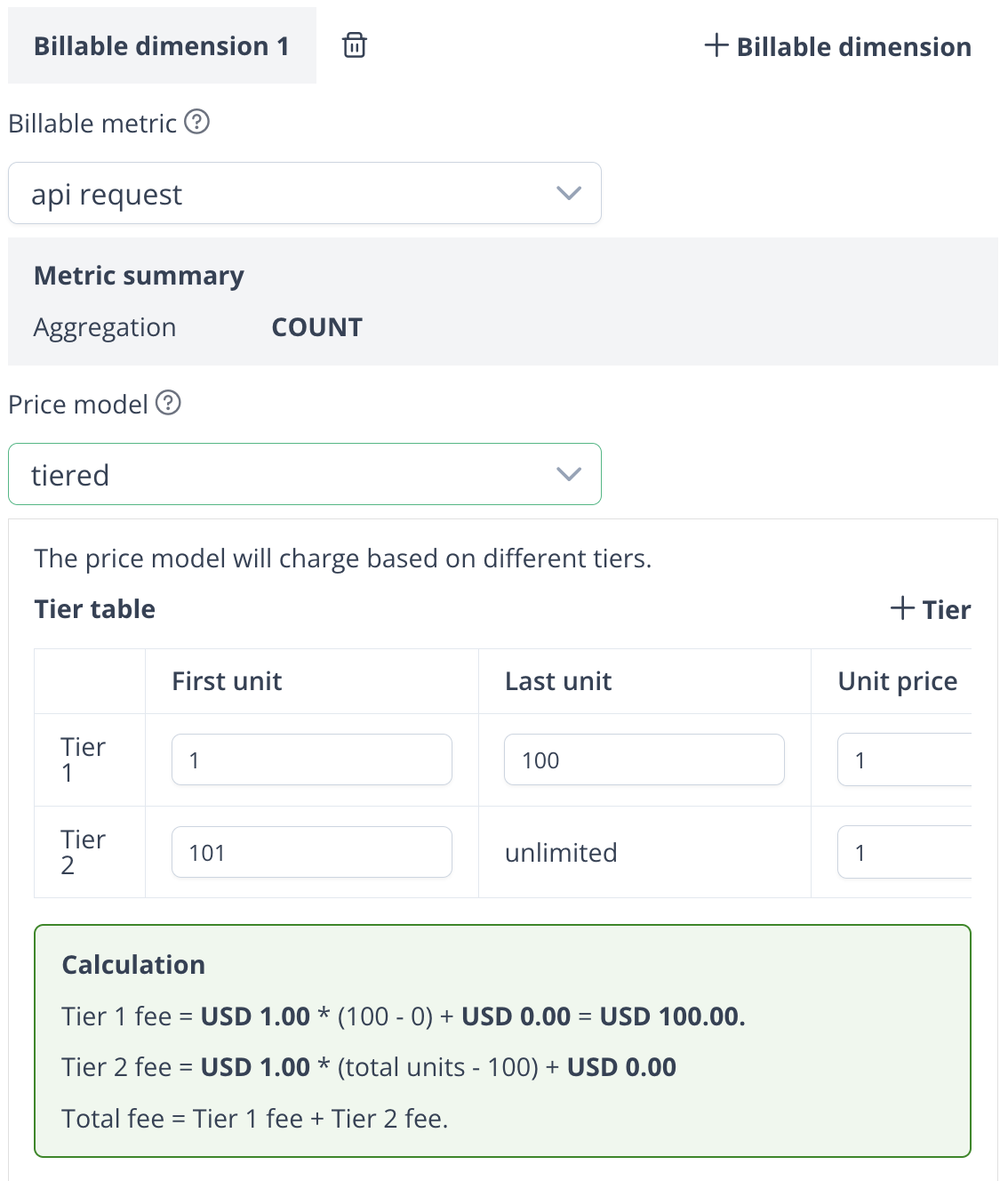
In tiered pricing, the cost of a given unit depends on the tier range that it falls into, defined by upper and lower bounds.
For example, the first 5 GB costs $0.5 each with $10 flat fee, 6-10 GB costs $0.3 each with $5 flat fee, and all subsequent GBs cost $0.2 each with no flat fee.
 Example:
1. For 4 units:
- Calculated as `4 x 0.5 + 10 = 12`, $12 in total.
2. For 8 units:
- Calculated as `(5 x 0.5 + 10) + (3 x 0.3 + 5) = 18.8`, $18.8 in total.
3. For 15 units:
- Calculated as `(5 x 0.5 + 10) + (5 * 0.3 + 5) + (5 * 0.2) = 20`, $20 in total.
**Bulk pricing**
With bulk pricing, units are charged in fixed bundles (referred to as bulk sizes).
For instance, if the bulk size is set to 5:
- Purchasing 4 units will be billed as a bundle of 5.
- Purchasing 6 units will be billed as 2 bundles of 5.
Example:
1. For 4 units:
- Calculated as `4 x 0.5 + 10 = 12`, $12 in total.
2. For 8 units:
- Calculated as `(5 x 0.5 + 10) + (3 x 0.3 + 5) = 18.8`, $18.8 in total.
3. For 15 units:
- Calculated as `(5 x 0.5 + 10) + (5 * 0.3 + 5) + (5 * 0.2) = 20`, $20 in total.
**Bulk pricing**
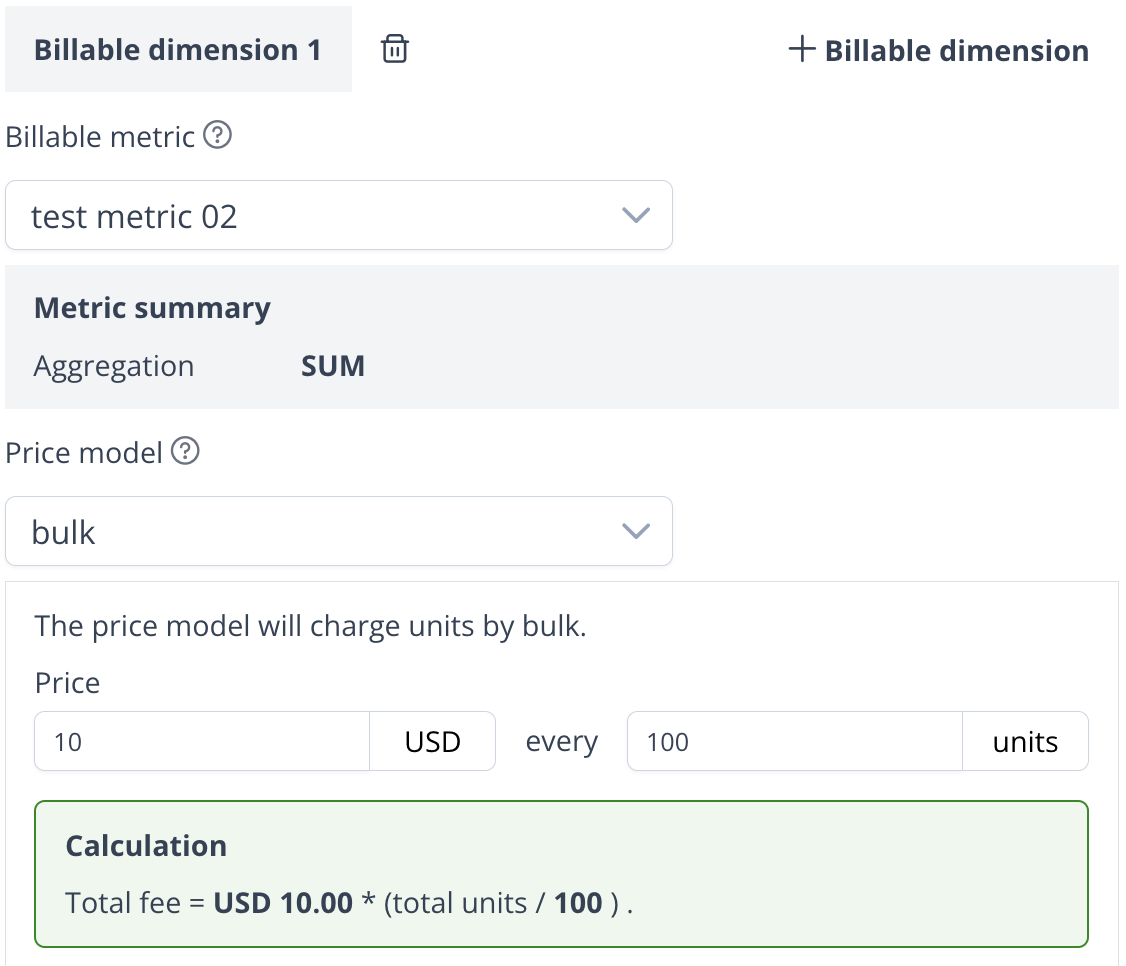
With bulk pricing, units are charged in fixed bundles (referred to as bulk sizes).
For instance, if the bulk size is set to 5:
- Purchasing 4 units will be billed as a bundle of 5.
- Purchasing 6 units will be billed as 2 bundles of 5.
 Example:
1. For 4 units:
- Calculated as 1 bulk (5 units) × $5 = $5 total.
2. For 6 units:
- Calculated as 2 bulks (10 units) × $5 = $10 total.
**Volume pricing**
In volume pricing, the total number of units purchased determines the cost per unit for all units.
Example:
1. For 4 units:
- Calculated as 1 bulk (5 units) × $5 = $5 total.
2. For 6 units:
- Calculated as 2 bulks (10 units) × $5 = $10 total.
**Volume pricing**
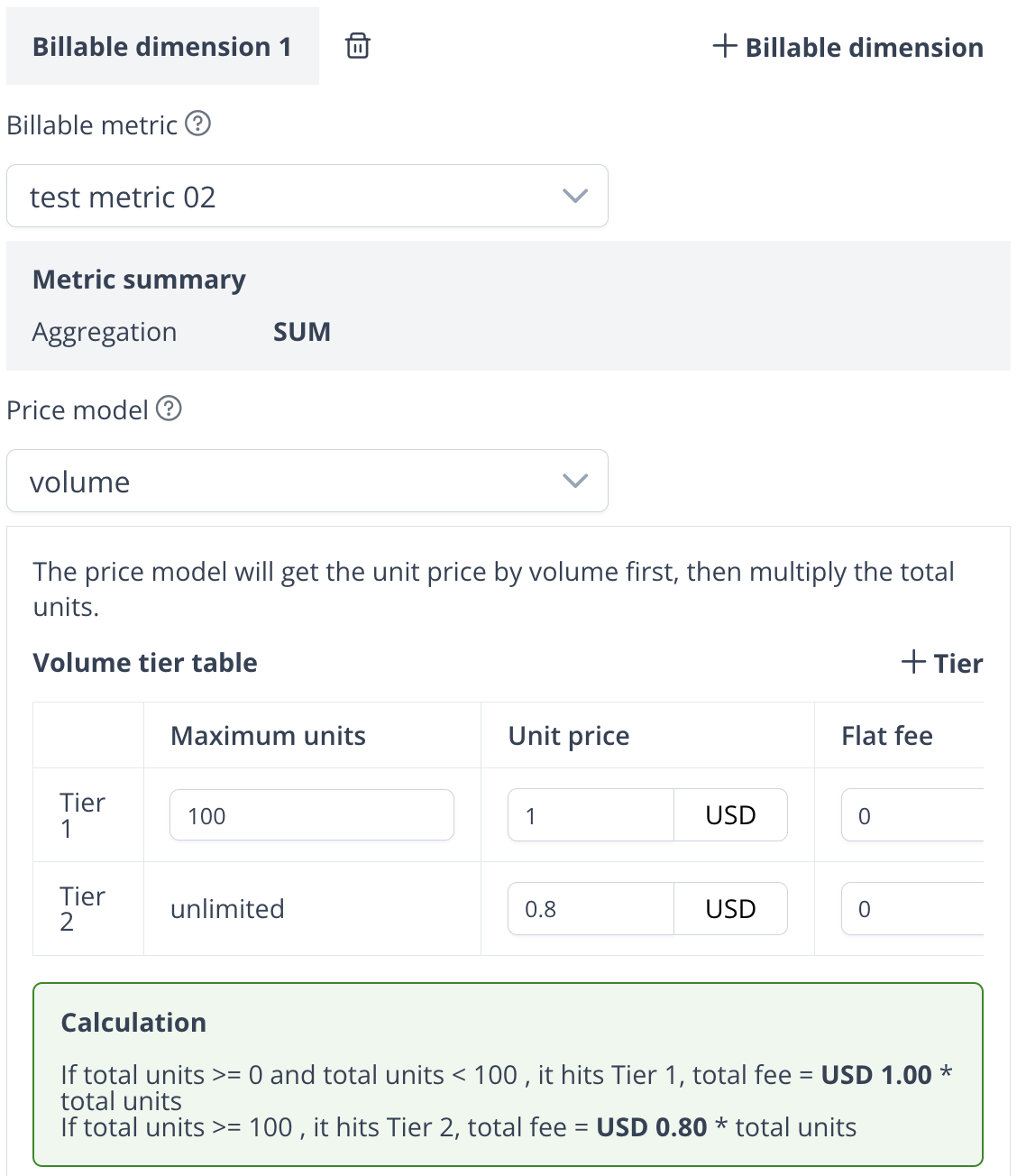
In volume pricing, the total number of units purchased determines the cost per unit for all units.
 Example:
1. If you purchase 8 units, the total cost is calculated as:
- `8 * 0.5 (unit price) + 5 (flat fee) = $9` in total.
2. If you purchase 15 units (more than 10), the total cost is calculated as:
- `15 * 0.4 (unit price) + 0 (flat fee) = $6` in total.
**Percentage pricing**
Percentage pricing applies a rate per event based on a percentage of the value in the event. For example, for a payment event, it is calculated as a percentage of the transaction value.
Example:
1. If you purchase 8 units, the total cost is calculated as:
- `8 * 0.5 (unit price) + 5 (flat fee) = $9` in total.
2. If you purchase 15 units (more than 10), the total cost is calculated as:
- `15 * 0.4 (unit price) + 0 (flat fee) = $6` in total.
**Percentage pricing**
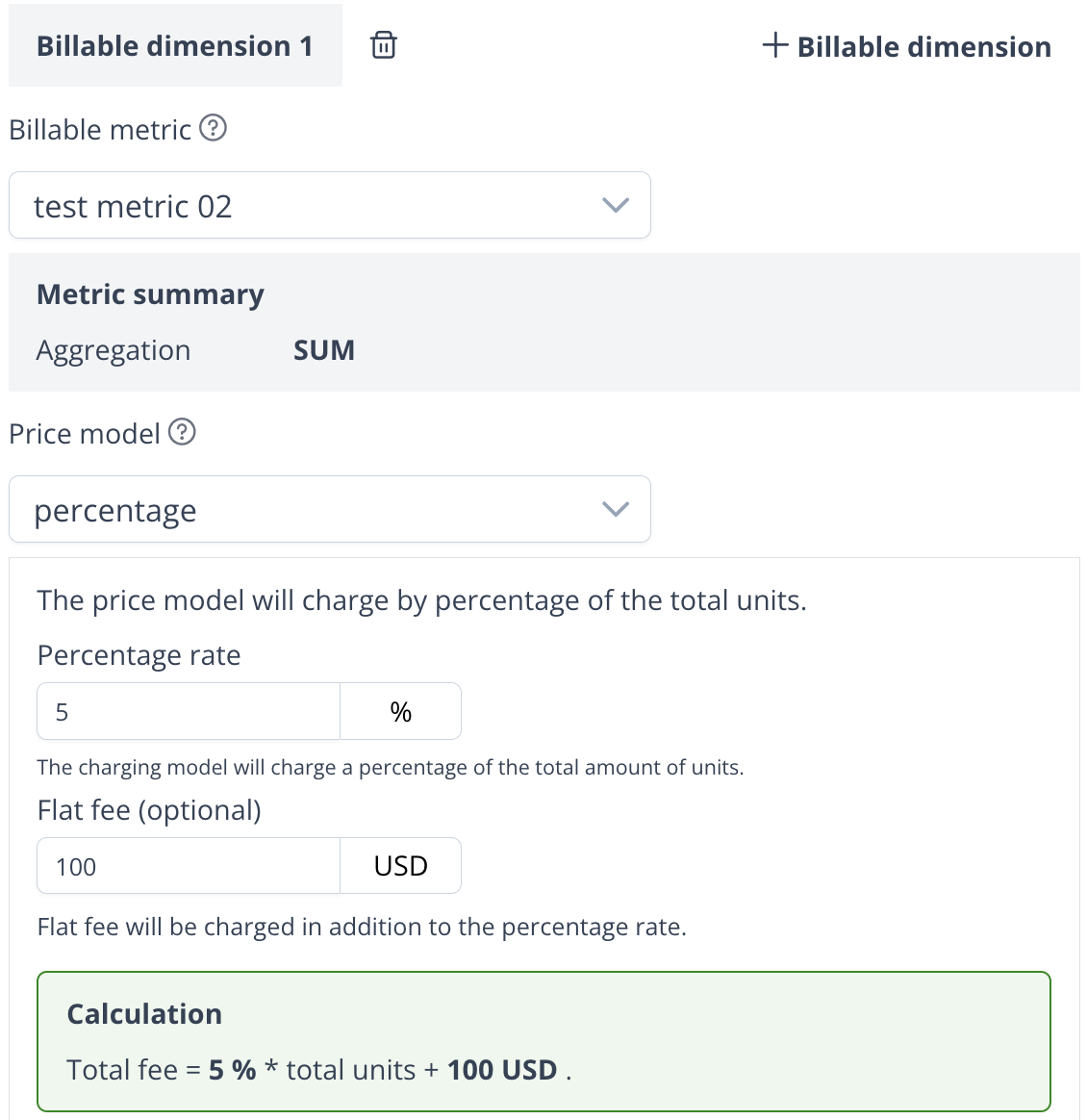
Percentage pricing applies a rate per event based on a percentage of the value in the event. For example, for a payment event, it is calculated as a percentage of the transaction value.
 Example:
1. For a transaction of $100, the total charge is calculated as:
- `100 * 0.25 (percentage rate) + 3 (flat fee) = $28` in total.
**Tiered percentage pricing**
Tiered percentage pricing applies a per event rate based on a percentage of the value in the event., with different rates for specified tiers.
Example:
If the pricing is set as follows:
Example:
1. For a transaction of $100, the total charge is calculated as:
- `100 * 0.25 (percentage rate) + 3 (flat fee) = $28` in total.
**Tiered percentage pricing**
Tiered percentage pricing applies a per event rate based on a percentage of the value in the event., with different rates for specified tiers.
Example:
If the pricing is set as follows:
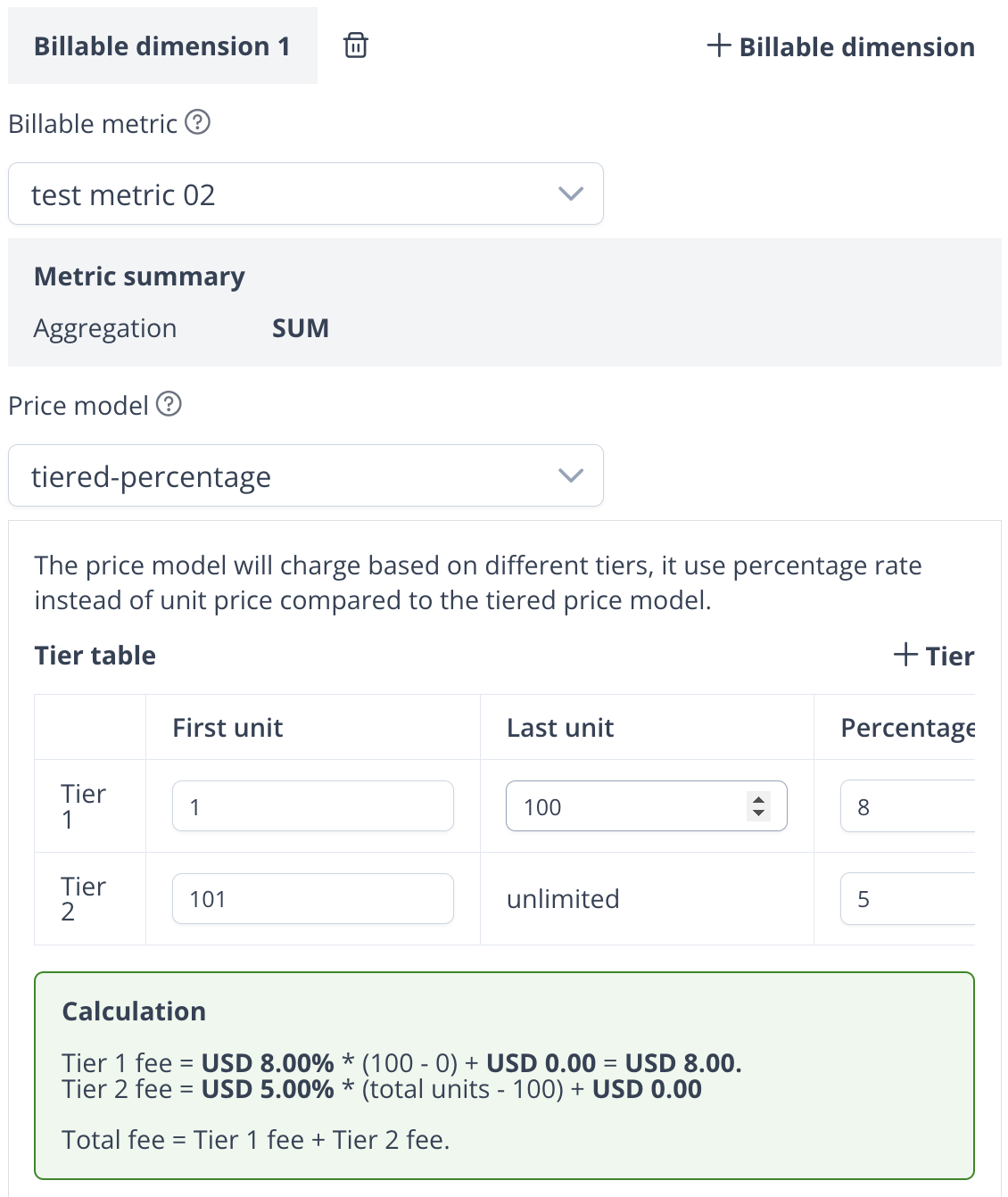 1. For a payment of 9 units, Calculation:
- `9 * 0.25 (percentage rate) + 3 (flat fee) = $5.25` in total.
2. For a payment of 20 units, Calculation:
- `10 * 0.25 (percentage rate) + 3 (flat fee) + 10 * 0.20(percentage rate) + 1 (flat fee) = $8.50` in total.
**Matrix pricing**
Matrix pricing determines the cost based on combinations of two or more properties.
Example:
If the pricing is set as follows:
1. For a payment of 9 units, Calculation:
- `9 * 0.25 (percentage rate) + 3 (flat fee) = $5.25` in total.
2. For a payment of 20 units, Calculation:
- `10 * 0.25 (percentage rate) + 3 (flat fee) + 10 * 0.20(percentage rate) + 1 (flat fee) = $8.50` in total.
**Matrix pricing**
Matrix pricing determines the cost based on combinations of two or more properties.
Example:
If the pricing is set as follows:
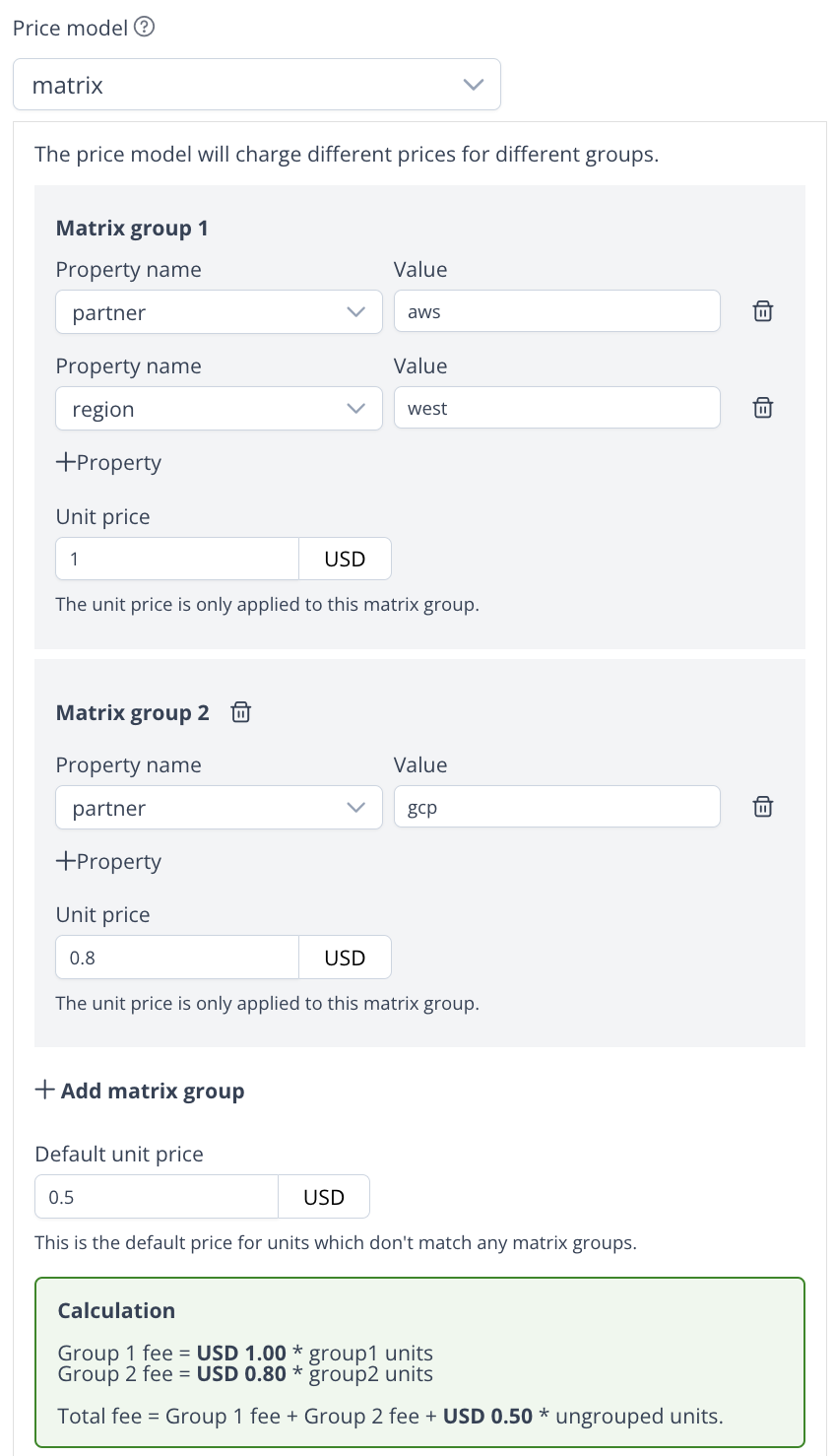 The pricing config can be represented in the following table:
| Group | Property 1 | Property 2 | Price per Unit ($) |
| ------- | ------------- | ------------- | ------------------ |
| 1 | partner = aws | region = east | $1.00 |
| 2 | partner = gcp | - | $0.80 |
| default | - | - | $0.50 |
All reported data will be grouped by the property combinations, and the price will be calculated based on the group. If no group matches, the default price will be applied.
### Minimum spend
You can set a minimum spend for the billable dimension, if the total amount of the billable dimension is less than the minimum spend, the buyer will be charged the minimum spend for this billable dimension.
### Discount
You can set a discount for the billable dimension, which will be applied to the billable dimension amount before calculating the total amount.
## Trial period
You can set the trial period for the offer to give the buyer a free trial.
- The recurring commit fee will be prorated by the trial days.
- The usage will be ignored and not charged during the trial period.
## Common pricing solutions
### Good-better-best offer
The good-better-best offer or tiered offer is a common SaaS offer solution, it provides a basic package and then offers more features in higher tiers.
For example, Wix provides 4 tiers of offers, each tier has different features and price.
The pricing config can be represented in the following table:
| Group | Property 1 | Property 2 | Price per Unit ($) |
| ------- | ------------- | ------------- | ------------------ |
| 1 | partner = aws | region = east | $1.00 |
| 2 | partner = gcp | - | $0.80 |
| default | - | - | $0.50 |
All reported data will be grouped by the property combinations, and the price will be calculated based on the group. If no group matches, the default price will be applied.
### Minimum spend
You can set a minimum spend for the billable dimension, if the total amount of the billable dimension is less than the minimum spend, the buyer will be charged the minimum spend for this billable dimension.
### Discount
You can set a discount for the billable dimension, which will be applied to the billable dimension amount before calculating the total amount.
## Trial period
You can set the trial period for the offer to give the buyer a free trial.
- The recurring commit fee will be prorated by the trial days.
- The usage will be ignored and not charged during the trial period.
## Common pricing solutions
### Good-better-best offer
The good-better-best offer or tiered offer is a common SaaS offer solution, it provides a basic package and then offers more features in higher tiers.
For example, Wix provides 4 tiers of offers, each tier has different features and price.
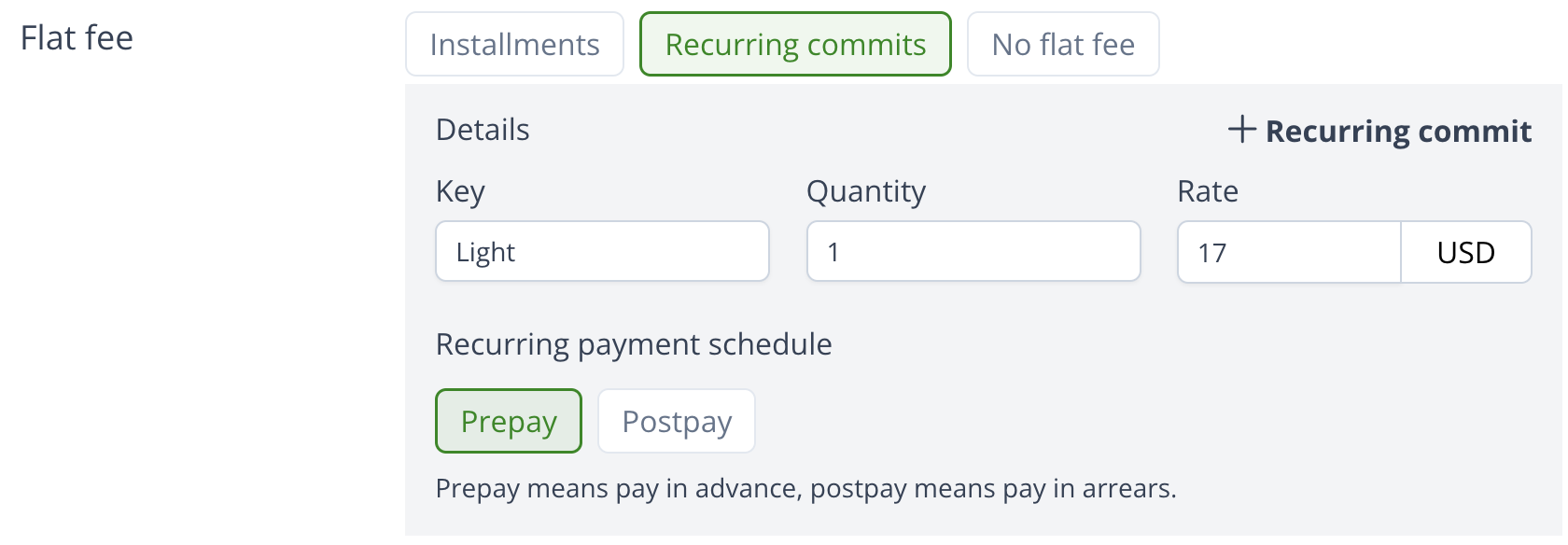
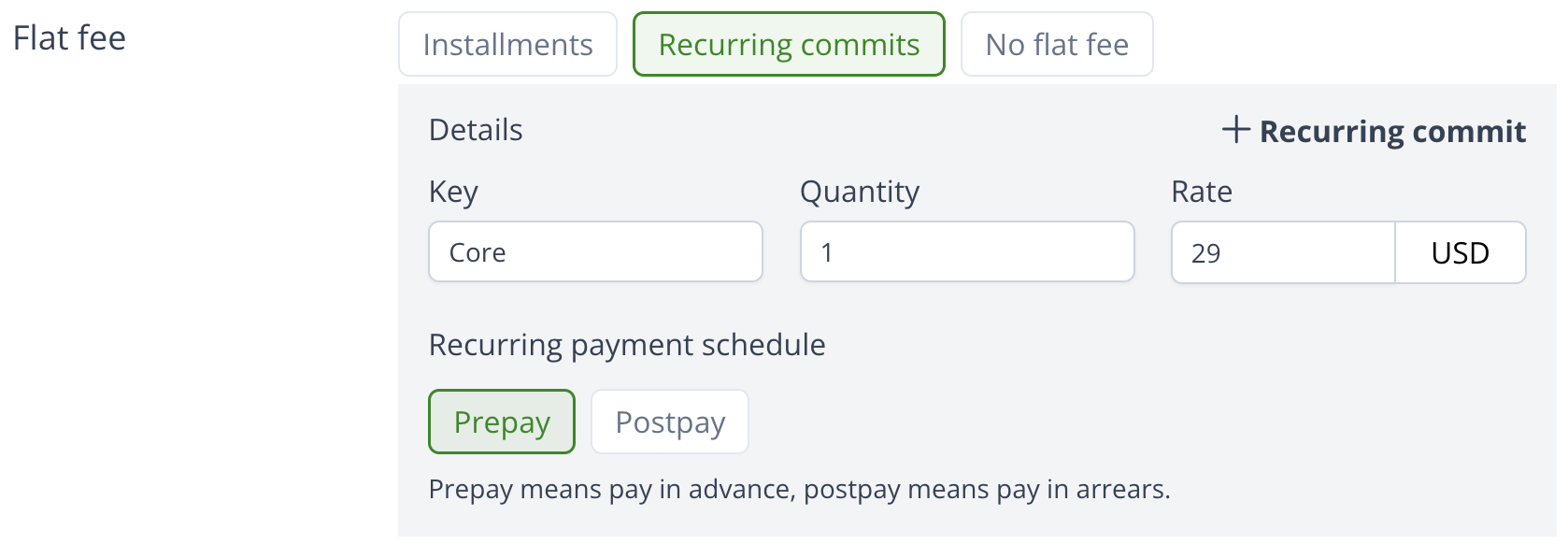
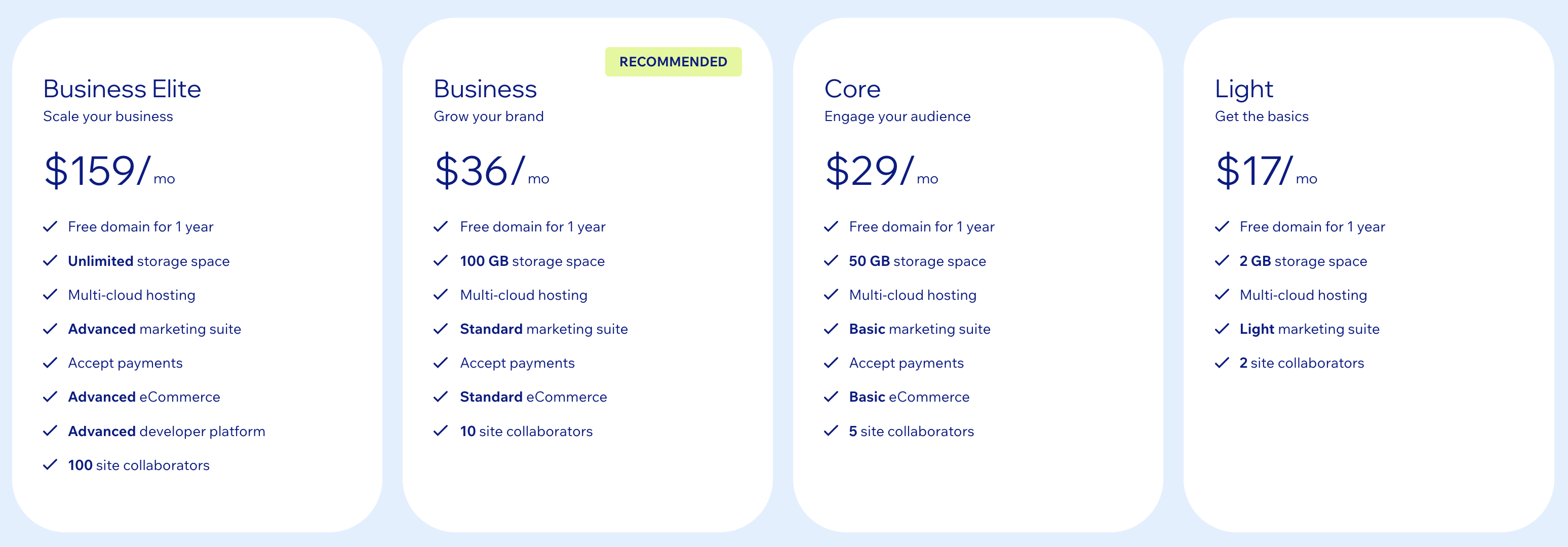 When we create this type of offer, add different recurring commits to represent the tiers, no need to configure the usage metering.
 ### Per-seat offer
Many products charge the buyer based on the number of users or seats, and the seats can be increased or decreased during the contract.
For example, Clickup bills per user per month.
### Per-seat offer
Many products charge the buyer based on the number of users or seats, and the seats can be increased or decreased during the contract.
For example, Clickup bills per user per month.
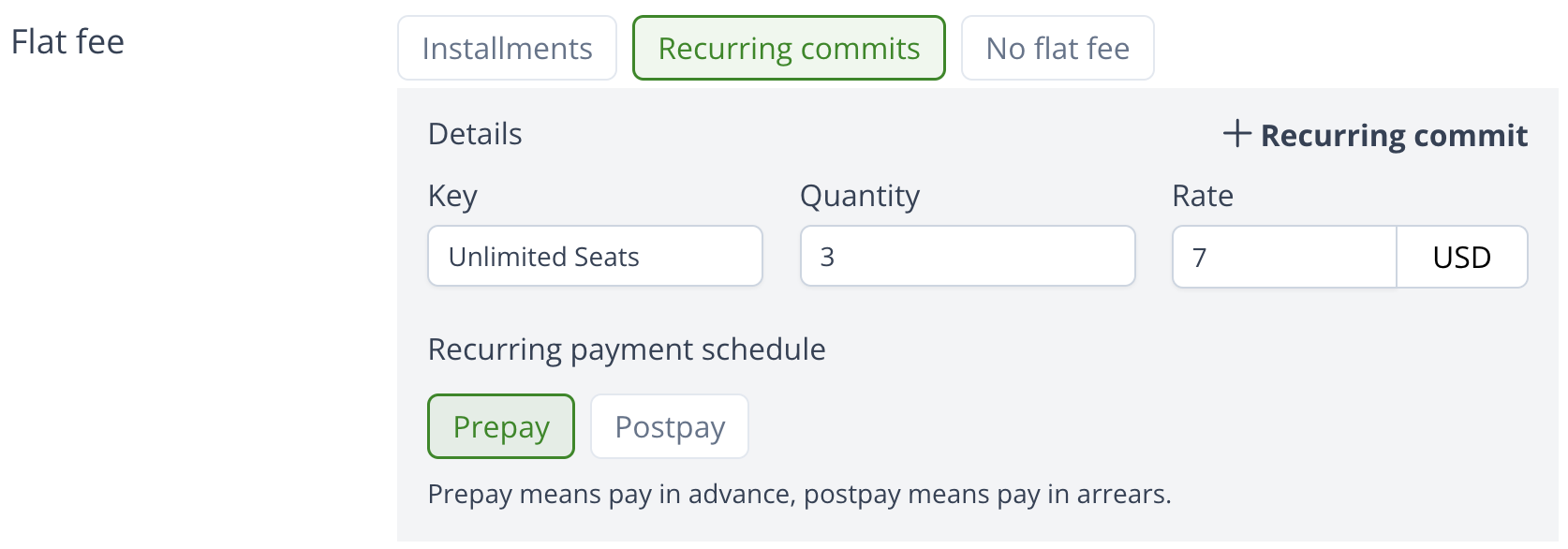
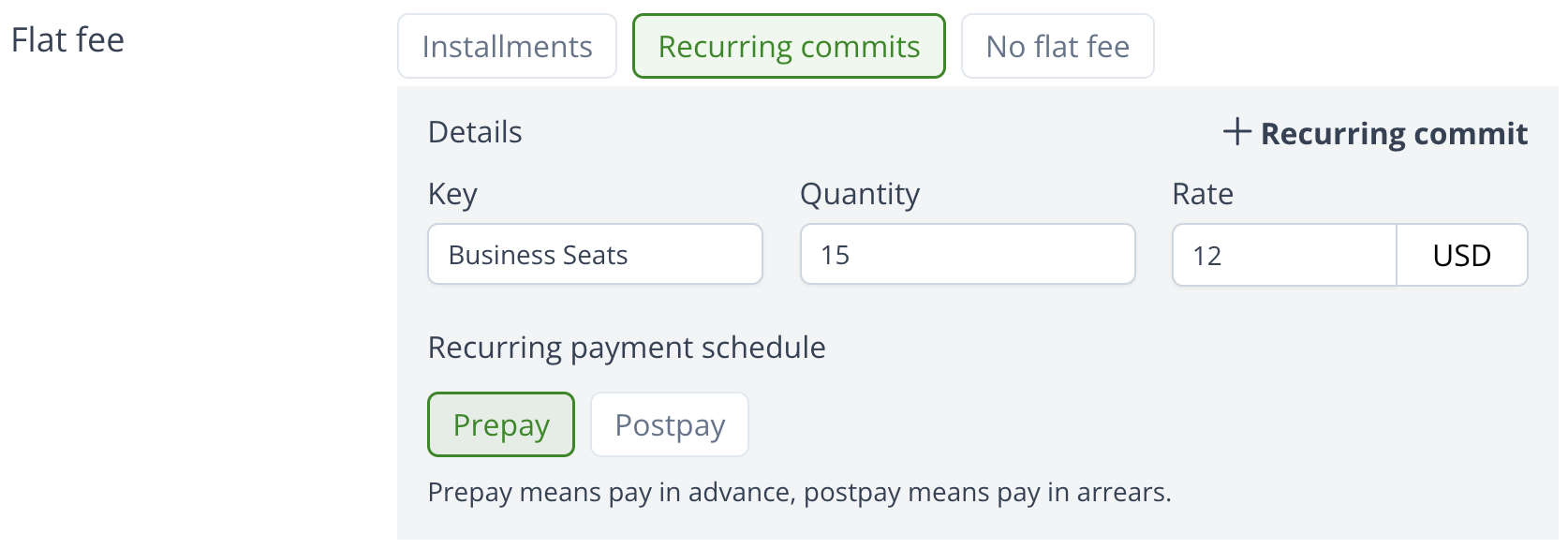
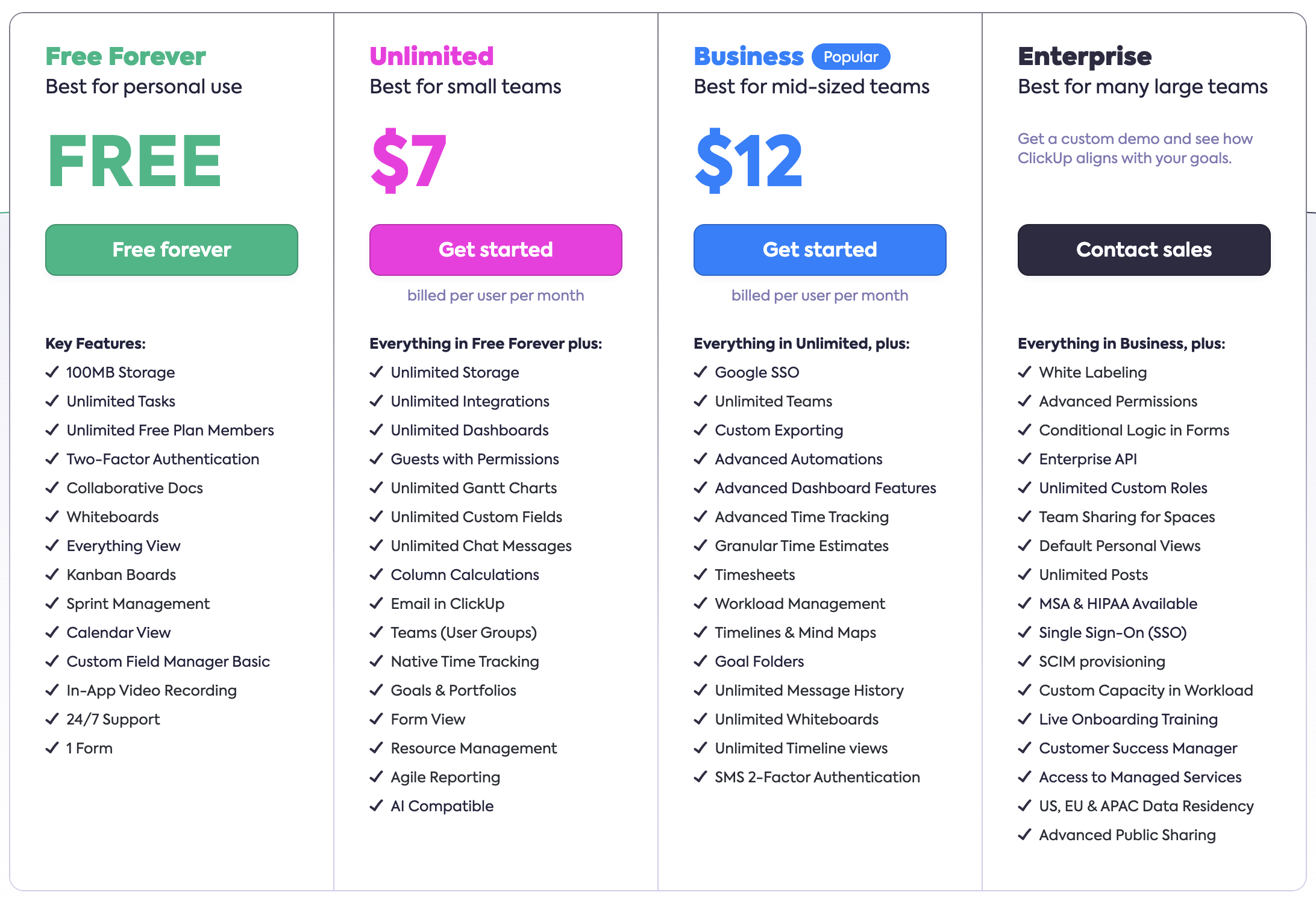 When we create this type of offer, add a recurring commit to hold the seat quantity and rate, the rate can also be different according to different tiers.
 ### Pay-as-you-go offer
For example, Google cloud offers pay-as-you-go service for there product BigQuery, the buyer will be charged based on the actual storage usage.
### Pay-as-you-go offer
For example, Google cloud offers pay-as-you-go service for there product BigQuery, the buyer will be charged based on the actual storage usage.
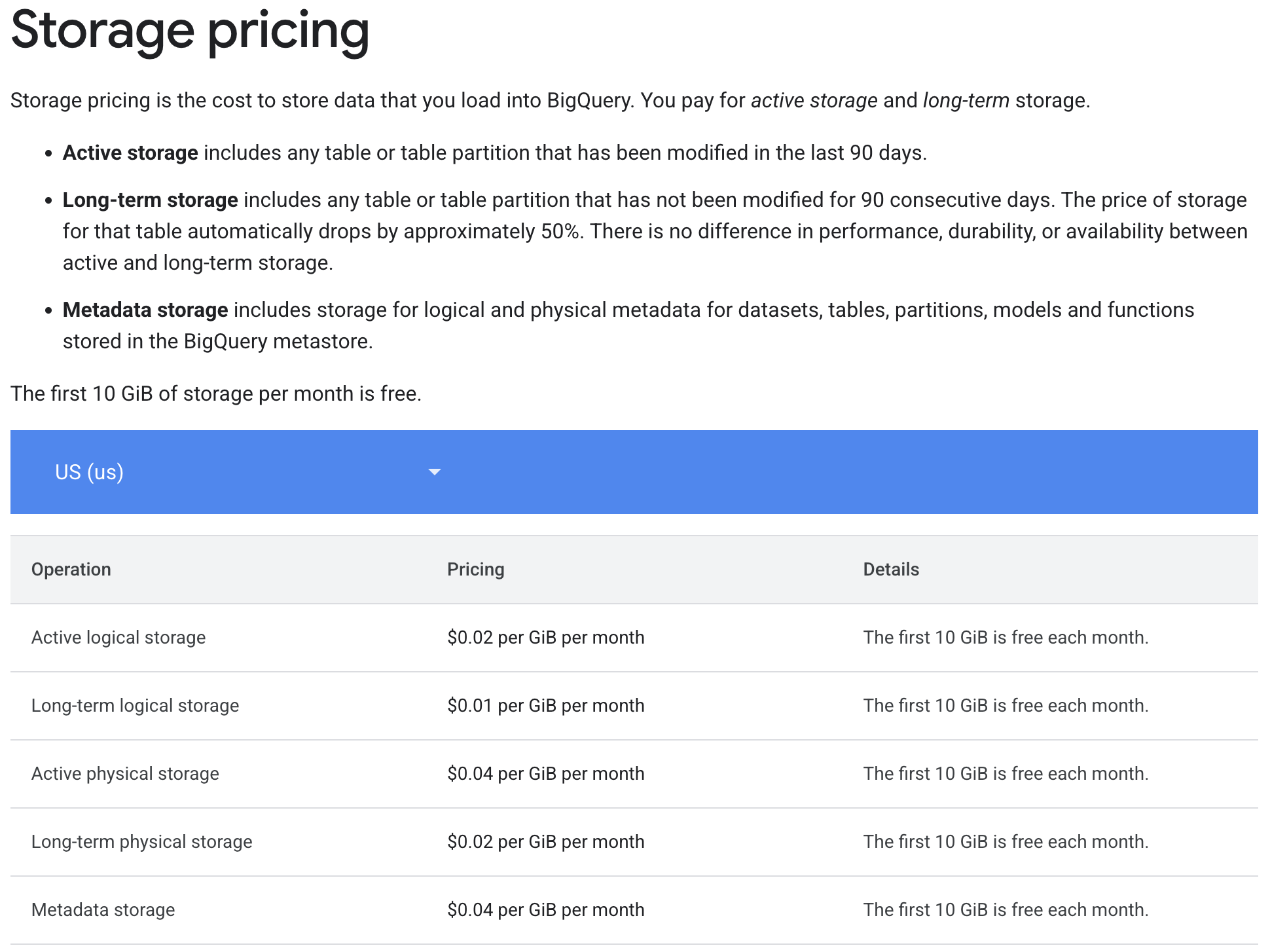 When we create this type of offer, define different storage types as billable metrics, and configure them in the usage metering billable dimensions.
### Fixed-fee and usage-based combination offer
We can use recurring commits and usage metering together to charge the buyer very flexibly.
Scenario 1:
You can add a recurring commit fee for a package of some quantities of several billable metrics, and configure each billable metric's price model to handle the overage quantity. Then any metric's usage over the quantity will be charged.
Scenario 2:
You can add a recurring commit fee as basic charge, and configure each billable metric's price model normally. If the total amount of usage metering is over the commit, you will charge the buyer the overage.
When we create this type of offer, define different storage types as billable metrics, and configure them in the usage metering billable dimensions.
### Fixed-fee and usage-based combination offer
We can use recurring commits and usage metering together to charge the buyer very flexibly.
Scenario 1:
You can add a recurring commit fee for a package of some quantities of several billable metrics, and configure each billable metric's price model to handle the overage quantity. Then any metric's usage over the quantity will be charged.
Scenario 2:
You can add a recurring commit fee as basic charge, and configure each billable metric's price model normally. If the total amount of usage metering is over the commit, you will charge the buyer the overage.