# Entitlement
An entitlement is the active, accepted contract that proves a customer has purchased your product and is entitled to use it.
---
## Overview
In cloud marketplaces, an entitlement (also known as an agreement) represents an active, accepted contract. While a private offer defines the terms you propose to a buyer, the entitlement is what becomes active after acceptance and drives billing and revenue.
| Feature | Private offer | Entitlement |
| --- | --- | --- |
| Definition | Proposed commercial terms sent to a buyer | The finalized agreement and usage rights granted after acceptance |
| Creation | Manually created by sales or deal desk | Automatically created by the system |
| Purpose | Deal negotiation | Active contract tracking and billing |
Use the entitlement record whenever you need to know whether a deal is active, when the contract ends, or when you will get paid.
### How an entitlement is created
Entitlements are never created manually in Suger. They are generated automatically whenever a customer successfully purchases or accepts an offer through a cloud marketplace. This can happen through either a public offer or a private offer.
**Public offer flow**
1. **Marketplace listing published** — Your product is available as a public marketplace listing.
2. **Buyer purchases** — A buyer self-serves and subscribes directly through the marketplace.
3. **Marketplace processing** — The cloud marketplace confirms the transaction and activates the agreement.
4. **Active entitlement generated** — Suger automatically creates an active entitlement in your console and CRM.
**Private offer flow**
1. **Private offer sent** — Your team generates and extends a private offer to the buyer's cloud account.
2. **Buyer accepts** — The buyer logs into their marketplace portal and accepts the offer.
3. **Marketplace processing** — The cloud marketplace confirms the transaction and validates the payment terms.
4. **Active entitlement generated** — Suger automatically creates an active entitlement in your console and CRM.
### How teams use entitlements
Each entitlement is linked to a CRM opportunity, private offer, product, and buyer account, making it the shared record across Sales, Customer Success, and Finance.
- **Sales tracking** — Sales teams use entitlements to confirm when a deal is closed. When a buyer accepts a private offer, an entitlement is created and the CRM opportunity is automatically marked as **Closed Won**.
- **Customer Success provisioning** — Customer Success teams use entitlements to understand what the customer purchased and when it becomes active.
- **Finance reconciliation** — Finance teams use entitlements to connect revenue back to the original deal.
## Terminate an entitlement
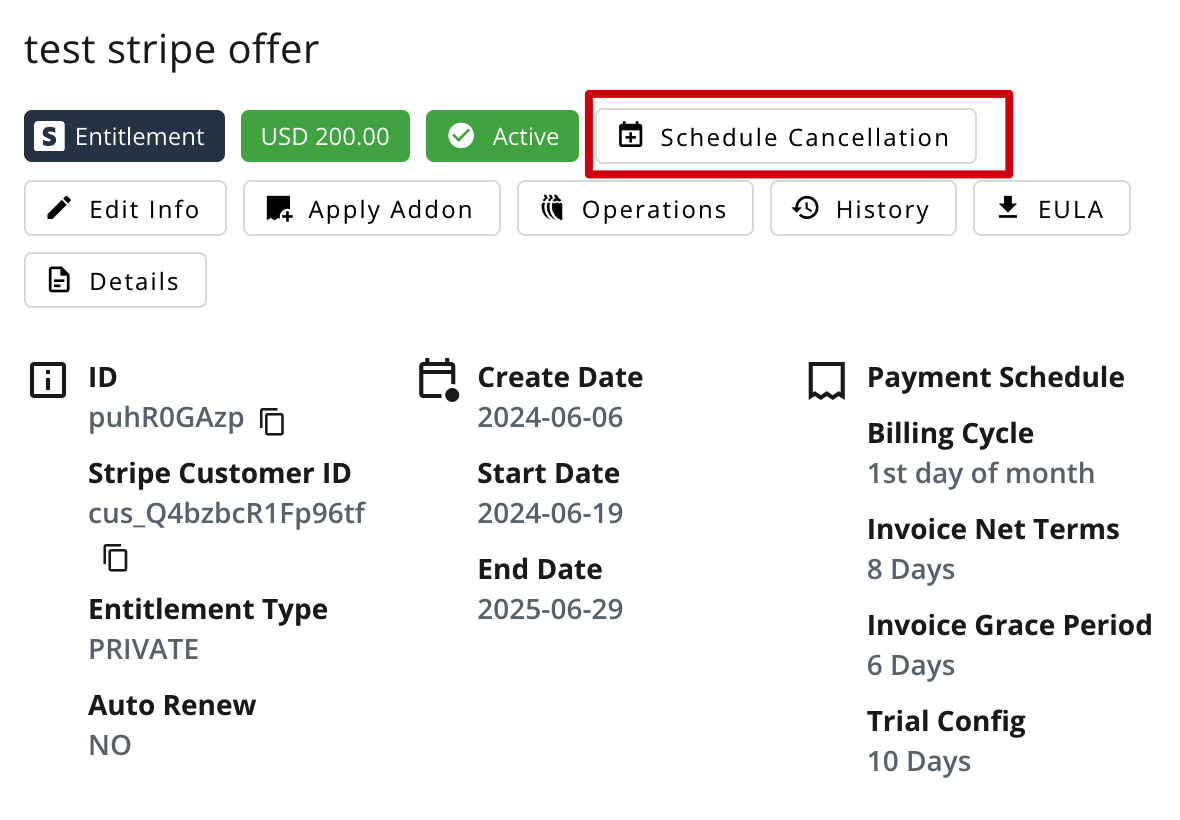
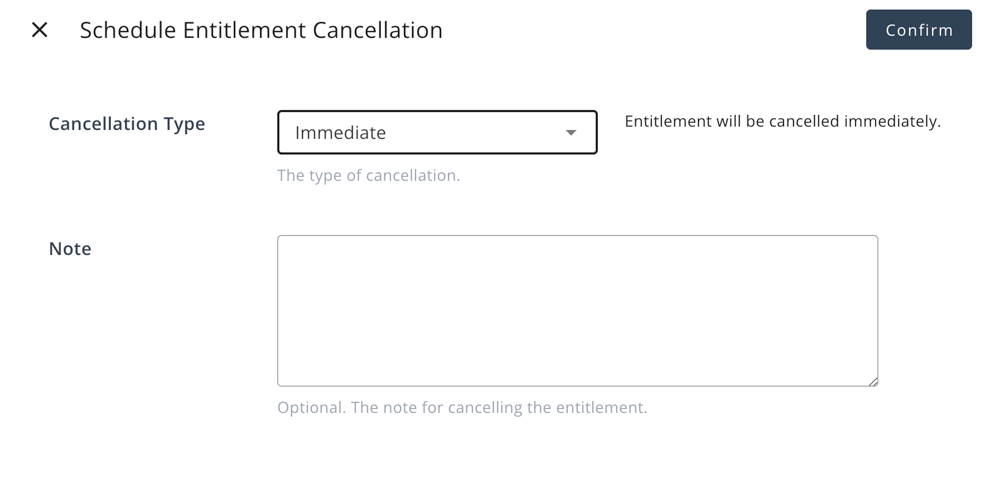
You can schedule a cancellation of an entitlement. There are three cancellation types supported:
- Immediate: The entitlement will be terminated immediately.
- End of Term: The entitlement will be terminated at the end of current term.
- Specific Date: The entitlement will be terminated at a specific date.
>  >
>  When an entitlement terminates, Suger will automatically calculate charges for any outstanding usage and generate the final invoice.
For commitment charging terms:
- If the payment schedule is `postpay`, a final invoice will be generated with the prorated days.
- If the payment schedule is `prepay`, a refund will be made for the unused period.
## Apply an Addon
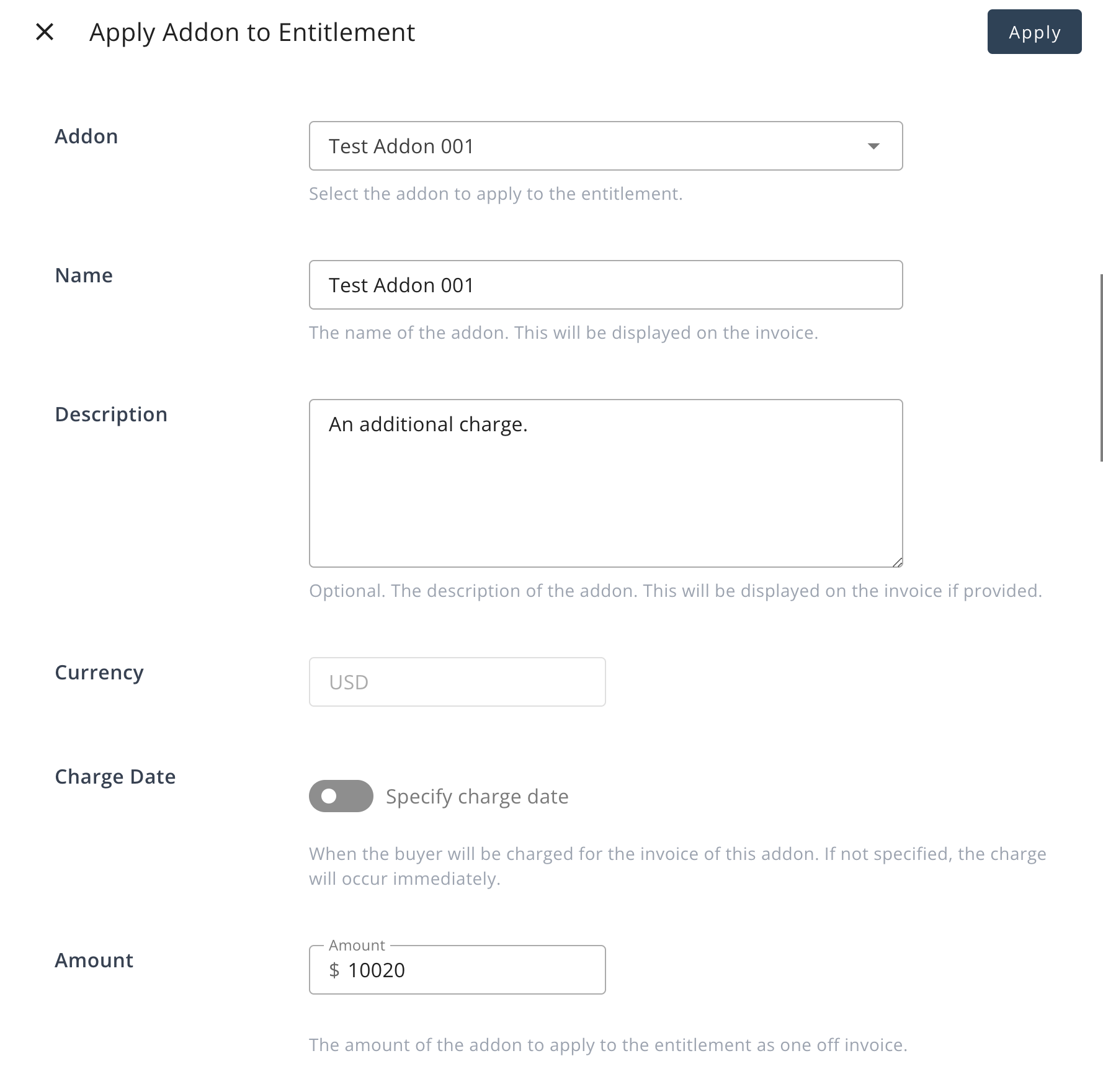
You can apply an addon to an entitlement if you need to charge the customer an additional amount.
>
When an entitlement terminates, Suger will automatically calculate charges for any outstanding usage and generate the final invoice.
For commitment charging terms:
- If the payment schedule is `postpay`, a final invoice will be generated with the prorated days.
- If the payment schedule is `prepay`, a refund will be made for the unused period.
## Apply an Addon
You can apply an addon to an entitlement if you need to charge the customer an additional amount.
>  ## Alert before the end date of an entitlement
Sellers can configure the `alertDaysBeforeEnd` field in the entitlement configuration to send an alert to both the seller and the customer before the end date of an entitlement. The `alertDaysBeforeEnd` field can be set to 15 or 45 days.
## Auto-renew an entitlement
Sellers can configure the `autoRenew` field in the entitlement configuration to automatically renew the entitlement at the end date. The `autoRenew` field can be set to either `true` or `false`.
- If set to `true`, the entitlement will be automatically renewed at the end date.
- If set to `false`, the entitlement will not be automatically renewed.
## Alert before the end date of an entitlement
Sellers can configure the `alertDaysBeforeEnd` field in the entitlement configuration to send an alert to both the seller and the customer before the end date of an entitlement. The `alertDaysBeforeEnd` field can be set to 15 or 45 days.
## Auto-renew an entitlement
Sellers can configure the `autoRenew` field in the entitlement configuration to automatically renew the entitlement at the end date. The `autoRenew` field can be set to either `true` or `false`.
- If set to `true`, the entitlement will be automatically renewed at the end date.
- If set to `false`, the entitlement will not be automatically renewed.